Product Description
Applicable models
Telecom-version phones and locked phones cannot be used. For contract phones, please consult your contract operator to see if they are available.
Signal coverage
Cyprus 4G/5G (**PrimeTel PLC** / MTN Ltd)

Product Description
Applicable models
Telecom-version phones and locked phones cannot be used. For contract phones, please consult your contract operator to see if they are available.
Signal coverage
Cyprus 4G/5G (**PrimeTel PLC** / MTN Ltd)

Coverage locations: Cyprus
Data Usage check link:
Please check your device's eSIM compatibility before purchasing. No refunds will be issued after the eSIM QR code has been sent.
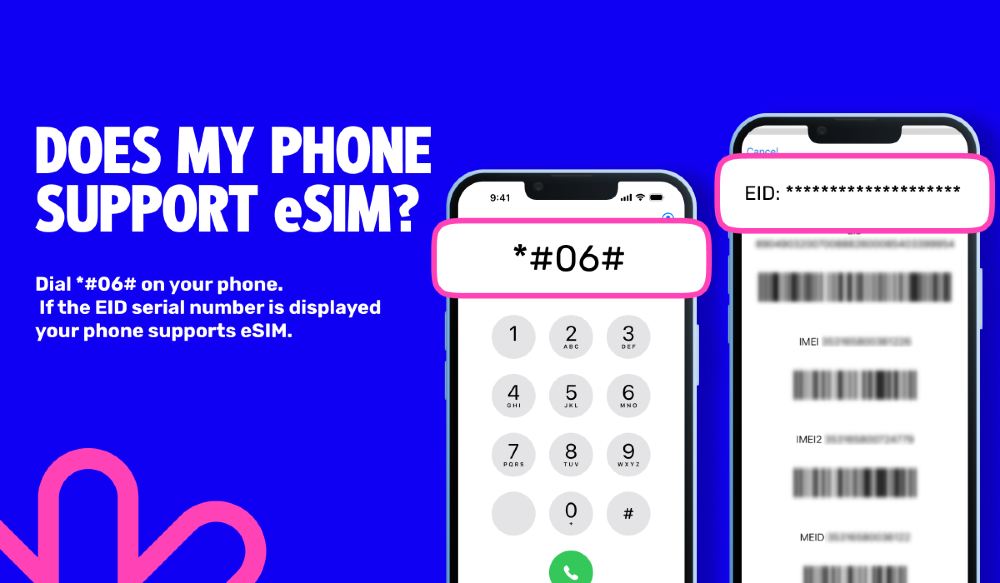
Check if Your Phone Supports eSIM (by EID). If your device shows an EID number, it supports eSIM.
Go to Settings General About.
Scroll down and look for EID (a long number, usually 32 digits).
If you see an EID, your iPhone supports eSIM.
If there's no EID, your device does not support eSIM.
Go to Settings About phone Status information (or About SIM status, depending on the brand).
Look for EID or eSIM information.
If EID is displayed, your phone supports eSIM.
If not, it may not be compatible.
Tip: You can also dial *#06# — if an EID appears , your device supports eSIM.