Buy Cheap Season Train Tickets online

Buy Cheap Season Train Tickets online

The Ultimate Guide for Season Tickets

Season Ticket calculator

Curious about how much a Season Ticket can save? Use our Season Ticket calculator and choose the best one!

Save big with multi-tickets

key.train.common.season.alt

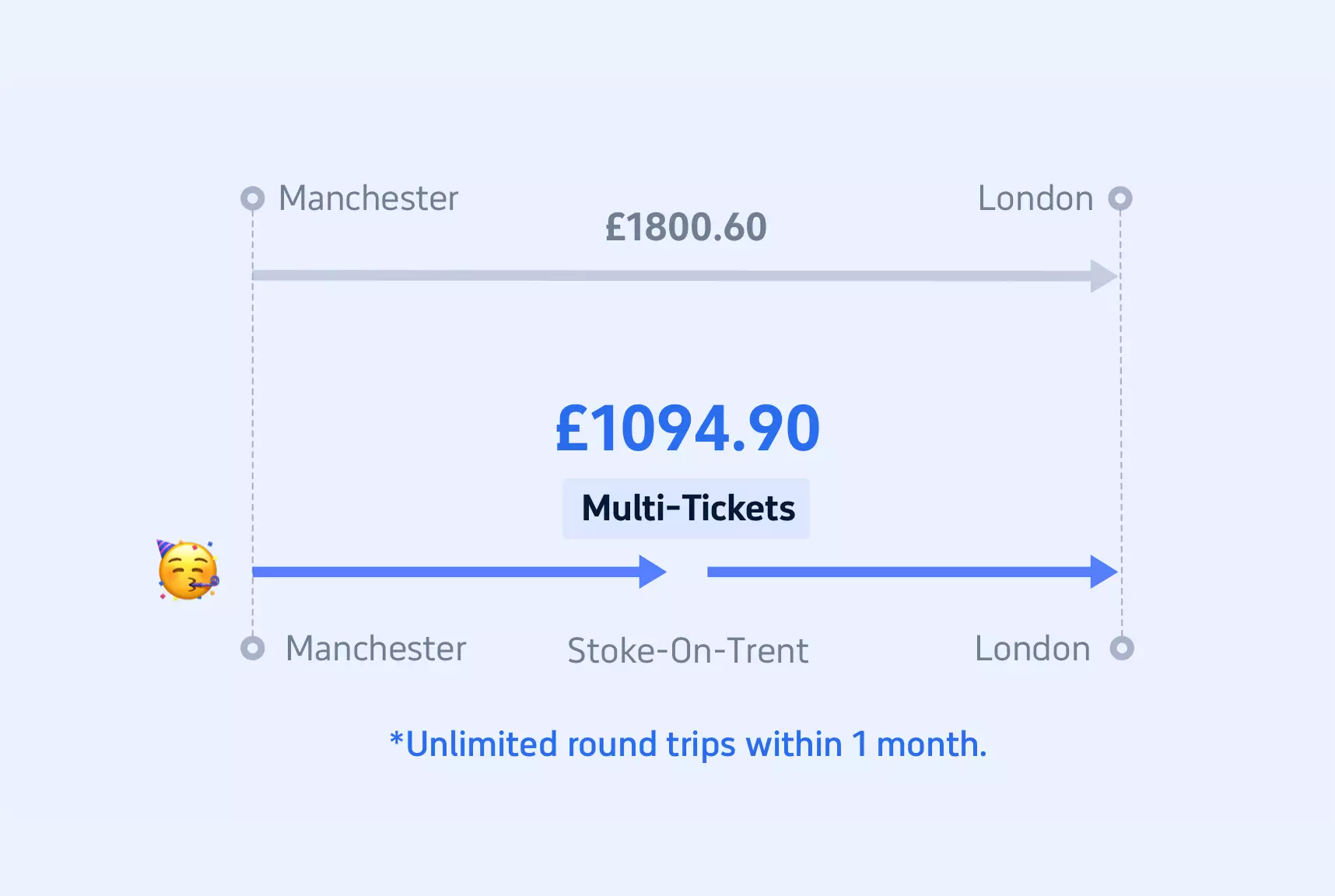
Imagine travelling from London to Manchester.

A regular monthly season ticket for this journey costs £1,800.60.

We split the journey into two parts: London to Stoke-on-Trent and Stoke-on-Trent to Manchester. The combined cost of these SplitTickets is only £1,094.90.

That's a staggering £705.70 saved right there!

*Prices are accurate as of February 2025. Always check current prices before booking.

*For multi-tickets, the train you choose must pass through the interchange station when travelling.


󱡇

What is a season ticket?

Season Tickets offer unlimited travel between two specific stations for durations of a week, a month, or a year.

Tailored for individual use, Season Tickets allow you to seamlessly navigate your daily routes, saving you both time and money on your regular commutes.

What are the differences between Season Ticket types?

Attention daily commuters! Season Tickets are your most cost-effective option just as train passes! With a range of ticket types available, it's crucial to select the one that perfectly fits your commuting habits and budget. Take charge and explore the Season Ticket options below to make the best choice for your travel needs.

Flexi Season Tickets

Flexi Season Tickets

Digital ticket*

Travel up to 8 days in 28 with unlimited use until 4:29 am after expiry. Enjoy at least 20% off. Activate after purchase. Valid for Standard Class only, not First Class.

Ideal for

Travelling twice a week

Benefits

  1. Unlimited travel between 2 station
  2. Flexibility to travel when you need within 28 days
  3. Travel at any time of day
Weekly Season Ticket

Weekly Season Ticket

Digital ticket*
Paper ticket*

Enjoy unlimited travel between two stations for seven days. You can travel at any time of the day, and it is cheaper than buying three daily Return tickets.

Ideal for

Travelling over 3 times a week

Benefits

  1. Unlimited travel between 2 stations for 7 days
  2. Travel at any time of day
  3. Cheaper than 3 daily return tickets
Monthly Season Tickets

Monthly Season Tickets

Digital ticket*
Paper ticket*

The tickets are a type of train ticket that allows unlimited travel within a fixed route for a month. They are cheaper and more convenient than buying four Weekly tickets.

Ideal for

Travelling over 3 times a week

Benefits

  1. Unlimited travel between 2 stations for one month
  2. Travel at any time of day
  3. Cheaper than 4 Weekly Season Tickets
Annual Season Tickets

Annual Season Tickets

Digital ticket*
Paper ticket*

The train tickets offer unlimited travel on a fixed route for a year. No need to buy tickets each time, saving you the cost of 12 weeks of travel. Ideal for frequent travelers!

Ideal for

Long-term regular travelers

Benefits

  1. Unlimited travel within a fixed route for one year
  2. Travel at any time of day
  3. Cheaper than monthly or weekly train tickets
* Digital tickets can be used as barcodes on your app while paper tickets should be collected from machines before boarding.

How can I buy a Season Ticket with Trip.com?

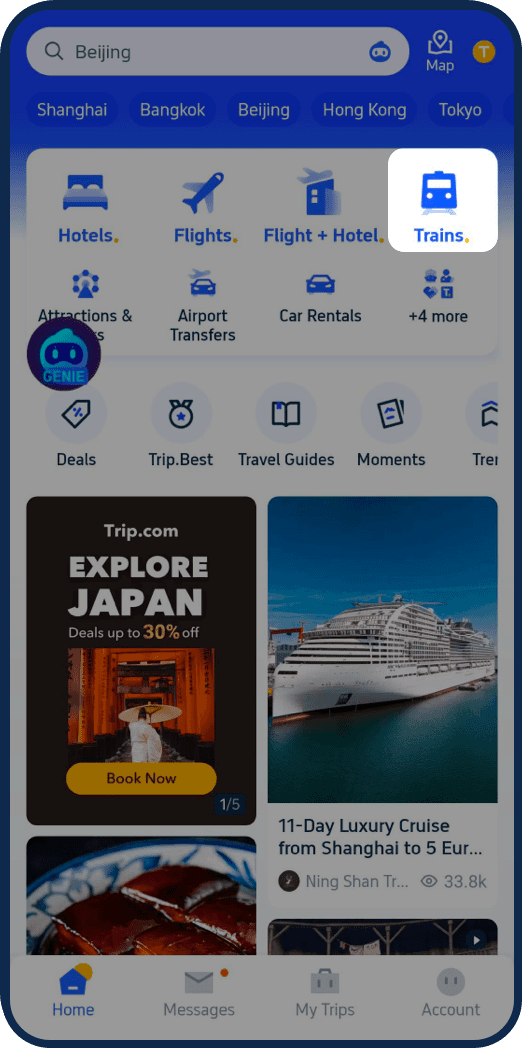
Tap "Trains"
Step 1

Tap "Trains"

Open the Trip.com app and tap "Trains" at the top of the homepage

Tap "Flexi & Seasons"
Step 2

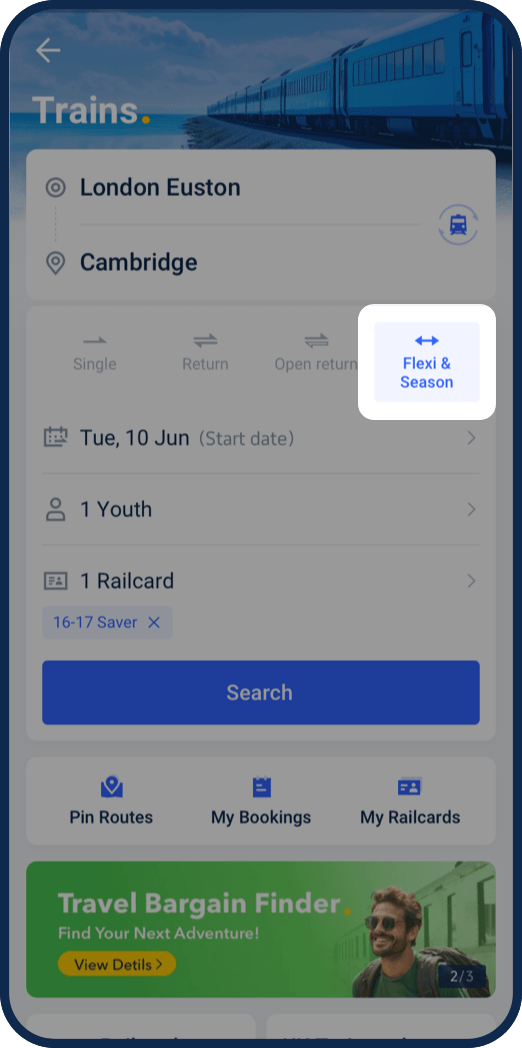
Tap "Flexi & Seasons"

Tap "Flexi&Seasons" at the top of the page, and select the start date of your season tickets.

Choose ticket type
Step 3

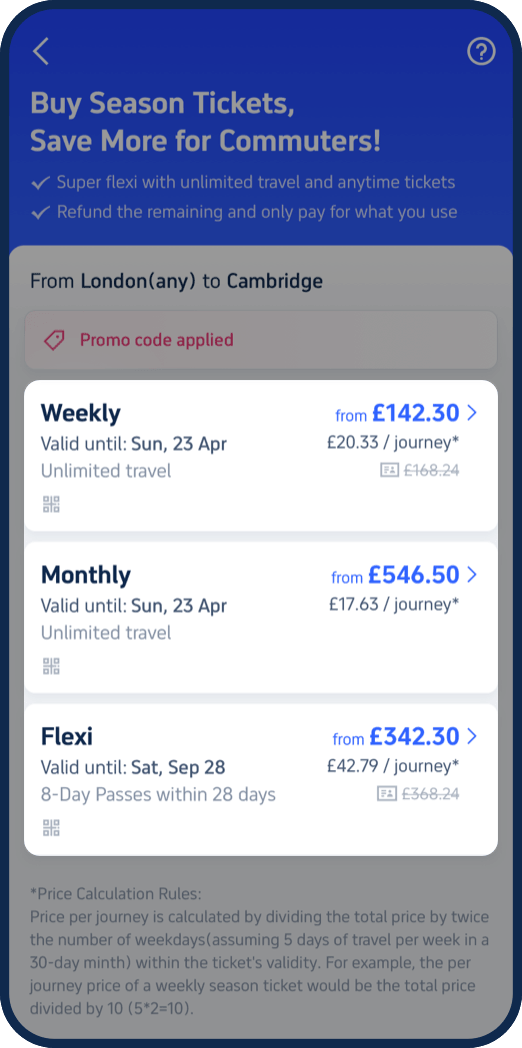
Choose ticket type

Choose the season ticket type you want. Now we offer season tickets types of Weekly, Monthly and Flexi.

Choose the specific journey
Step 4

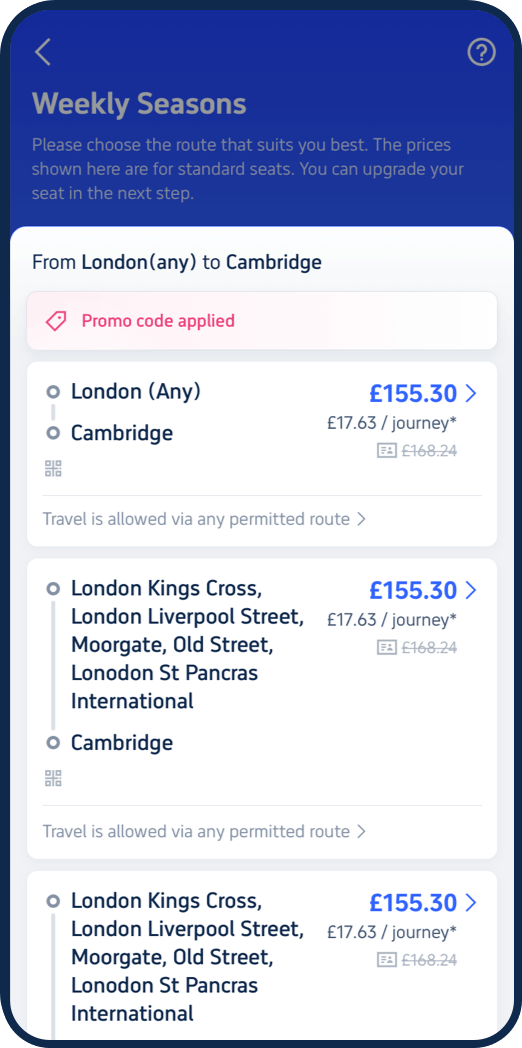
Choose the specific journey

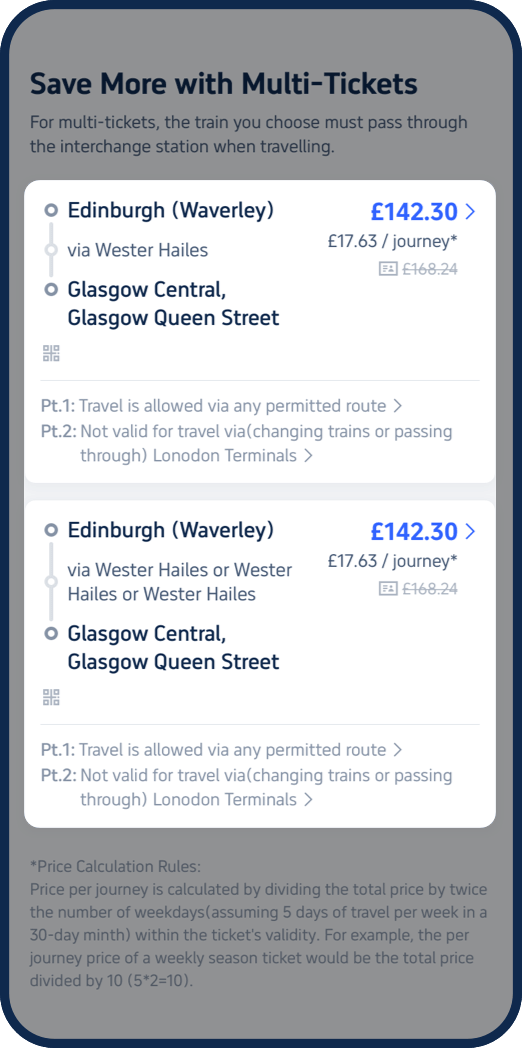
Choose the specific journey that you want to travel with. Moreover, our Multi-tickets offers you cheaper options, and you may need to travel via a specific station when buying Multi-tickets.

Check journey information
Step 5

Check journey information

Moreover, our Multi-tickets offers you cheaper options, and you may need to travel via a specific station when buying Multi-tickets.

Check your journey information
Step 6

Check your journey information

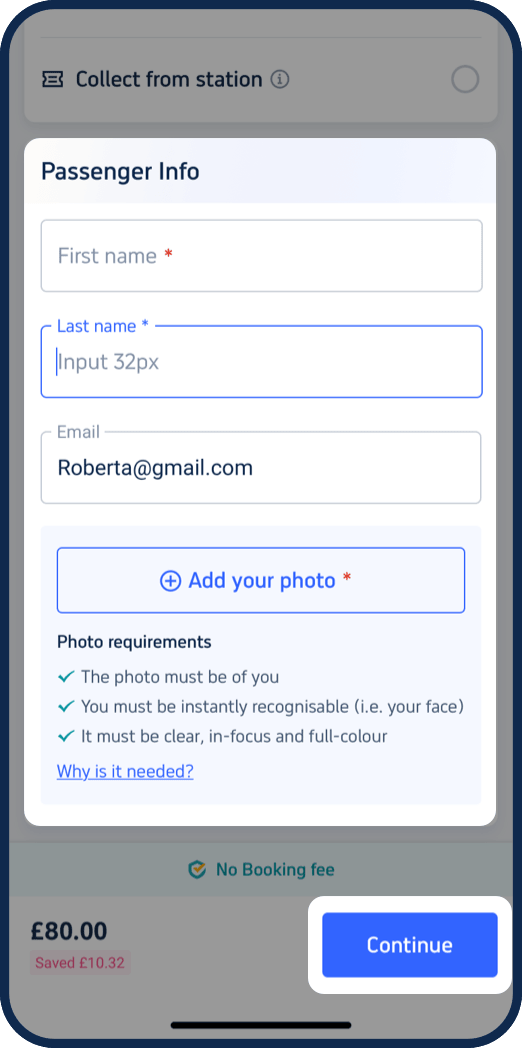
Check your journey information and fill-in your personal information. Please note, you need to upload a photo of yourself for E-tickets, and fill in your photocard ID for paper tickets. After finishing, you can just click the 'Continue' button to place the order.