Best VPN in China 2026: Setup, eSIMs & Tips


Planning a trip to China? It’s important to know that popular platforms like Google, Facebook, Instagram, and YouTube aren't directly accessible while you're there. Read this guide for a tried-and-tested list of VPN options to keep you online and sharing your adventures!
Important Travel Tips: Please be aware that VPN services are strictly regulated in China. Refrain from discussing sensitive topics or engaging in any unlawful online activities during your stay.
To Shanghai
To Beijing
To Chongqing
See all flights


Internet Access Restrictions in China
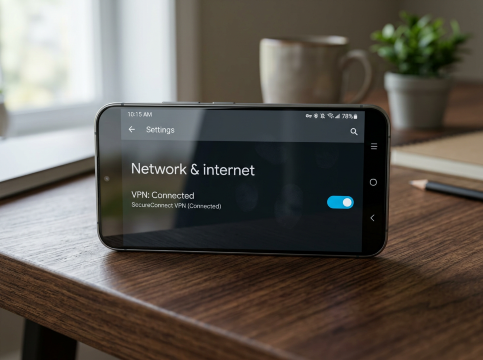
If you’re a Canadian travelling to China, a VPN is more than just a nice-to-have—it’s a practical tool to stay connected and secure.
What You Can't Access Without a VPN
Without a VPN, you cannot use:
- Google Services: Essential tools like Gmail, Google Maps, Google Drive, and YouTube are all blocked.
- Social Media: Popular platforms Canadians rely on to stay connected—Facebook, Instagram, Twitter (X), and Discord—are not accessible.
- Messaging Apps: While WhatsApp, Telegram, and Line are common for Canadians, only WeChat works reliably for messaging in China.
- News & Information: Major international news outlets like the BBC and CNN may be restricted at times.
- Entertainment: Netflix, Disney+, and most other international streaming services you use at home won’t work.
- Other Services: Many international shopping sites and everyday services you might depend on could also be blocked.
For many Canadian travellers, this lack of access can feel isolating—simple tasks like looking up restaurant recommendations or navigating new cities become tricky without Yelp or Google Maps.
Beyond Access: Protecting Your Privacy
A VPN isn’t just for unblocking content—it also helps protect your privacy. Public WiFi networks in China (like those in hotels, cafes, or airports) can carry security risks, and there have been reports of internet monitoring. This isn’t meant to alarm you, but it’s smart to take precautions.
A high-quality VPN encrypts all your data. That means if someone is monitoring the network, they’ll only see unreadable encrypted data—not your browsing history, passwords, or sensitive information like banking details or travel documents.
Alternative to VPNs: Using a China eSIM for Unrestricted Access

Forget the hassle of juggling VPNs or hunting down SIM cards—with a China eSIM, you can stay connected to your favourite apps like Twitter(X), Instagram, Discord, and more from the very moment you touch down.
Here’s why it’s a game-changer:
- No VPN required: This eSIM gives you seamless access to your favorite apps without needing any extra tools or subscriptions.
- Instant activation: Simply scan a QR code after purchase and you’re ready to go—no more waiting in stores or fumbling with tiny SIM cards!
Just double-check that your phone is eSIM-compatible (most modern iPhones and Androids are). If you're over dealing with spotty Wi-Fi or those pesky roaming charges, this is the perfect, hassle-free solution for your next adventure.
Stay Connected With Trip.com!
See all attractions
 917036 booked




What to Look for in the Best VPN for China

It’s important to pick the right one before your trip, especially if you’re a Canadian looking to stay connected smoothly. Here’s what you need to know to choose a reliable VPN:
- Strong Encryption is a Must: Choose AES-256 encryption to stay secure.
- Server Location Matters: Hong Kong servers are fastest; Singapore works well for Canadian banking/streaming. Use Japan/Korea as backups—skip Europe/US (too slow).
- Choose a No-Spy Policy: Pick a VPN with no activity logs, verified by independent auditors—critical for protecting Canadian travelers’ sensitive info (e.g., bank accounts).
- Easy to Use: Look for one-click connection (perfect for jet lag—China is 12–15 hours ahead of Canada) and reliable customer support for troubleshooting.
Taking these factors into account will help you pick a VPN that works reliably, so you can stay connected to home and use your usual digital tools without hassle.
Best VPNs for China Travelling
Just a quick heads-up: the popular VPNs you see advertised everywhere (like ExpressVPN, NordVPN, etc.) have been hit-or-miss lately. These mainstream services are struggling to keep up consistently.
Astrill VPN: The Most Reliable VPN for China
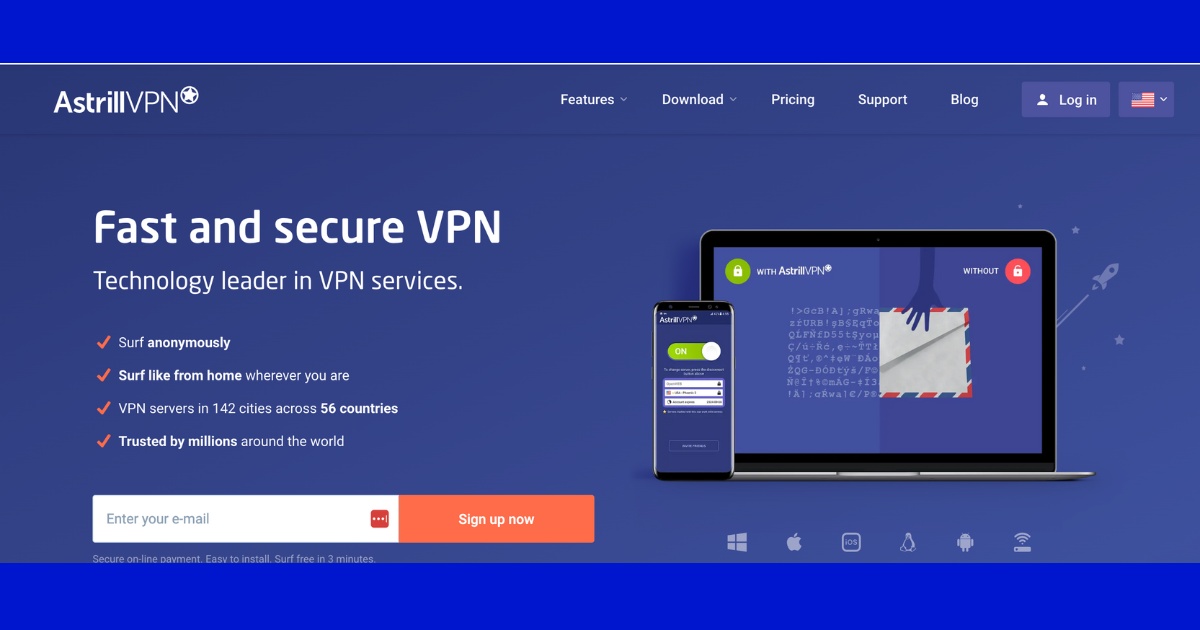
Source: Astrill
It’s purpose-built for destinations like China and consistently stays up and running, even during the toughest crackdowns.
Highlights:
- Servers optimized for China
- Supports multiple protocols, including their proprietary StealthVPN
- Reliable speeds, even during peak travel times
- Works like a charm in major Chinese cities
- Server Locations: 58+ countries
- Platforms: iOS, Android, Windows, macOS, and routers.
The Upside:
- A favorite among expats in China
- Rarely gets fully blocked
- Customer support team are experts on all things China.
The Downside:
- Pricier than your typical go-to options
- A more compact global server network
- The interface feels a bit old-fashioned.
- Limited simultaneous connections
Surfshark: The Budget-Friendly Favorite That Actually Delivers

Highlights:
- Unlimited simultaneous connections
- Camouflage mode keeps your VPN usage under wraps
- Its Clean Web feature blocks ads and malware for a smoother browsing experience.
- Server Locations: Spanning over 100 countries worldwide.
- Available on all common platforms: iOS, Android, Windows, macOS, and Linux.
- Unbeatable prices
The Upside:
- The most budget-friendly option that gets the job done
- Unlimited devices
- Strong performance in China
- Perfect for families or groups
- Easy-to-use interface
The Downside:
- A more compact server network compared to the competition
- You might experience occasional connection drops during peak times.
- Not as dependable as Astrill when things get tough during major crackdowns.
LetsVPN: Your New Go-To for Reliable Connection

Source: LetsVPN
Highlights:
- SSL protocol with obfuscation that disguises your VPN traffic as regular internet browsing
- Flexible short-term memberships for travelers
- Multi-hop server technology
- Enjoy seamless support across all your devices
- Server Locations: With 30+ countries covered, they've optimized their network to keep you connected across Asia.
- Available on iOS, Android, Windows, and macOS.
The Upside:
- Tried and trusted in China for years
- Connect in a flash, with a stable and lightning-fast connection
- Perfect for quick getaways with flexible plans
- Off the beaten path, so it's likely less crowded.
- Tested and confirmed: the speeds are solid!
The Downside:
- Limited to 2 devices
- A smaller company with a shorter track record
- Limited global server network
- Might hit a few snags with niche platforms like Discord
- Not quite built for heavy-duty streaming
- Customer support could be a bit more thorough
12VPX - The Under-the-Radar Veteran

Source: 12VPX
Has been around since 2009 (originally known as 12VPN) and has built a solid reputation among expats actually living in China.
Highlights:
- Tailor-made to navigate China's travel requirements
- Manual setup options for a more reliable experience
- Formerly known as 12VPN, now with the same great service you know and love.
- Perfect for streaming your favorite shows and staying connected on social media
- Reliable performance even during peak travel restrictions
The Upside:
- A go-to recommendation from expats in China on Reddit
- Works even when mainstream VPNs don't
- A trusted history of excellence (since 2009)
- Great speeds for your daily browsing and streaming needs
- Less likely to attract attention thanks to a lower profile
The Downside:
- No native mobile apps available (manual setup required)
- The user interface feels a bit basic compared to today's modern VPNs.
- Be sure to install this before you head to China!
- Customer support is a bit more limited than what you'd find with larger providers.
- Not the best choice for heavy downloading
Amazing Tours in China!
See all attractions








Using VPNs in China: Before You Leave

Download and Set Up Everything
Must-do steps before you travel:
- Sign up for the VPN service of your choice
- Download apps for all the devices you're bringing along
- Create your account and make sure everything is ready to go
- Check your connection to different servers
- Save your setup instructions and customer support contacts
- Snap screenshots of your key settings
Many VPN provider websites are blocked in China, so you won't be able to wait until you arrive to set one up.
Pre-Trip Testing
- Check out connections to various server locations
- Check your access to Facebook, Google, WhatsApp, and other restricted services
- Test your connection speed by streaming video
- Make sure your VPN is ready to go on the devices that you'll be using.
- Reach out to customer support to confirm they’ve got your back if you need any assistance.
Troubleshooting Common Issues
Even the best VPNs can run into trouble sometimes. Here’s how to troubleshoot the most frustrating issues:
How to Handle VPN Blocking
When your go-to servers go down:
- Try switching to different servers within the same country
- Switch to obfuscated or stealth servers
- Adjust your VPN protocols in the app settings
- Reach out to our customer support team right away for the latest server recommendations!
- Keep a backup VPN service handy
Optimizing Connection Speeds
Pro tips from our travels:
- Timing is everything: Try connecting between 6–9 AM China time, when network traffic is a bit lighter.
- Location proximity: Hong Kong servers typically offer the fastest speeds from most Chinese cities.
- Beat the crowds: Weekend evenings can be a bit slower due to high traffic, so plan accordingly!
- Bandwidth management: Close streaming apps while you work to save bandwidth for what matters.
Connection tip: Whenever possible, plug into the hotel's Ethernet cable instead of using WiFi for a faster, more stable connection.
Extra Security Tips: More Than Just a VPN
A VPN isn’t enough to stay digitally safe in China! Here are simple, practical security habits to keep you protected in the cyber-networks.
VPN usage tips:
- Keep your VPN usage on the down-low—it's best to avoid discussing it openly on Chinese social media platforms.
- To ensure a smooth and worry-free trip, it's best to avoid accessing sensitive political content while using a VPN.
- Keep your VPN credentials to yourself to stay secure while you travel.
- Stick with reputable paid services, as free VPNs can pose security risks.
- Focus on practical uses, such as keeping up with work communications and staying connected with family.
WiFi Safety Hacks
Even with a VPN, a little extra care with WiFi goes a long way to keep your data safe:
- Hotel Wi-Fi: Turn on your VPN first—even for trusted hotel Wi-Fi. Just because it’s password-protected doesn’t mean it’s safe from snoopers.
- Public WiFi: Skip public WiFi for banking or sensitive work. If you have to use it, connect your VPN first—no exceptions!
- Mobile Hotspot: If hotel WiFi is spotty or untrustworthy, use your phone’s data for important tasks. And don’t forget to password-protect your hotspot!
- Auto-Connect Settings: Turn off auto-WiFi! This stops your device from accidentally joining sketchy, unsecured networks.
Device Protection
A few simple steps to keep your devices (and data) safe while you’re away:
- Update all your software and apps before traveling—this fixes security gaps that hackers love to target.
- Only download apps from official sources (Apple App Store, Google Play, official websites)—no random third-party links!
- Keep your antivirus software on and up to date—it’s your first line of defense against malware.
- Use only original charging cables and adapters. Skip public chargers for devices with sensitive info—they might be risky.
- Backup your important data (photos, docs, contacts) before you go. Use encrypted cloud storage or an external drive—just in case.
Easy Digital Hygiene Tips
Small habits to keep your accounts and info safe while traveling:
- Account Security: Use unique, strong passwords for every important account. A password manager can help—no need to memorize everything!
- Two-Factor Authentication (2FA): Turn on 2FA for banking and email—this extra step keeps hackers out, even if they get your password.
- Travel Notifications: Tell your bank and credit card company you’re traveling—this avoids annoying account freezes from “unusual activity.”
- Document Storage: Save digital copies of your passport, visa, etc., in a secure, VPN-accessible cloud. Encrypt them first for that extra peace of mind.
Final Thoughts on VPNs in China
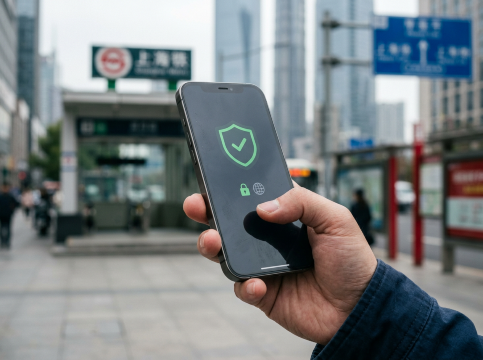
Investing in a reliable VPN is totally worth it—no more stress from endless internet troubles. Get it set up before you leave Canada, and you’ll be able to fully enjoy China instead of fighting internet restrictions.
Things change fast there, so keep your plans flexible. Give it a quick test to make sure it’s running smoothly, and always have a backup plan handy—just in case. Look for one that works seamlessly with Canadian devices (like your phone, laptop or tablet) and supports multiple gadgets at once, so you’re covered across all your tech.
If you run into any hiccups, reach out to the VPN’s support team—they’re usually up to date on the latest workarounds. Have an amazing trip and enjoy exploring everything China has to offer—just make sure you’re all set to share those awesome moments with friends and family back in Canada!
Where to Stay: Top China Hotel Recommendations
Top Beijing Hotels
Top Shanghai Hotels
Top Chongqing Hotels
See All Hotels

























Best VPN in China FAQs
-
Can I just use free VPNs instead?
-
What if I forgot to download the VPN before flying?
-
My VPN worked last year but not this trip. What happened?
-
Can I share my VPN account with my travel buddies?
-
Do I need VPN for Hong Kong or Macau?
-
What if nothing works and I'm completely stuck?
Disclaimer: This article has been provided by an individual contributor or third party platform. If there is any discrepancy regarding the copyright, please contact us directly and we will delete the content immediately.
Trending Topics
-
Air travel guide
-
Latest Flight Deals
-
eSIM/SIM card