Trip.com Customer Service – Hotline & Chat Support

By Trip.com
April 17, 2026

Dealing with hiccups in your travel plans can be a real drag. But don't worry—if you run into any trouble, Trip.com’s 24/7 customer service team is always here to help with any questions or concerns. Check out this article for a simple, step-by-step guide on how to get in touch with us!
New York
London
Rome
Paris
Sydney
Bangkok
See all flights


How to Access Different Trip.com Customer Services
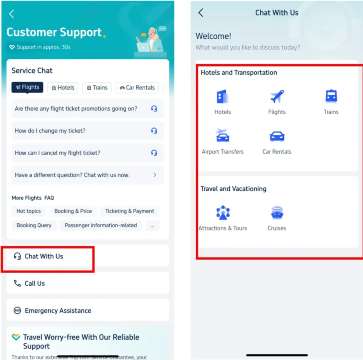
Trip.com App - Customer Support Options
- Log in to your Trip.com account on your mobile device and head over to the “Account” section
- Tap the headphone icon for Customer Support to see all your options
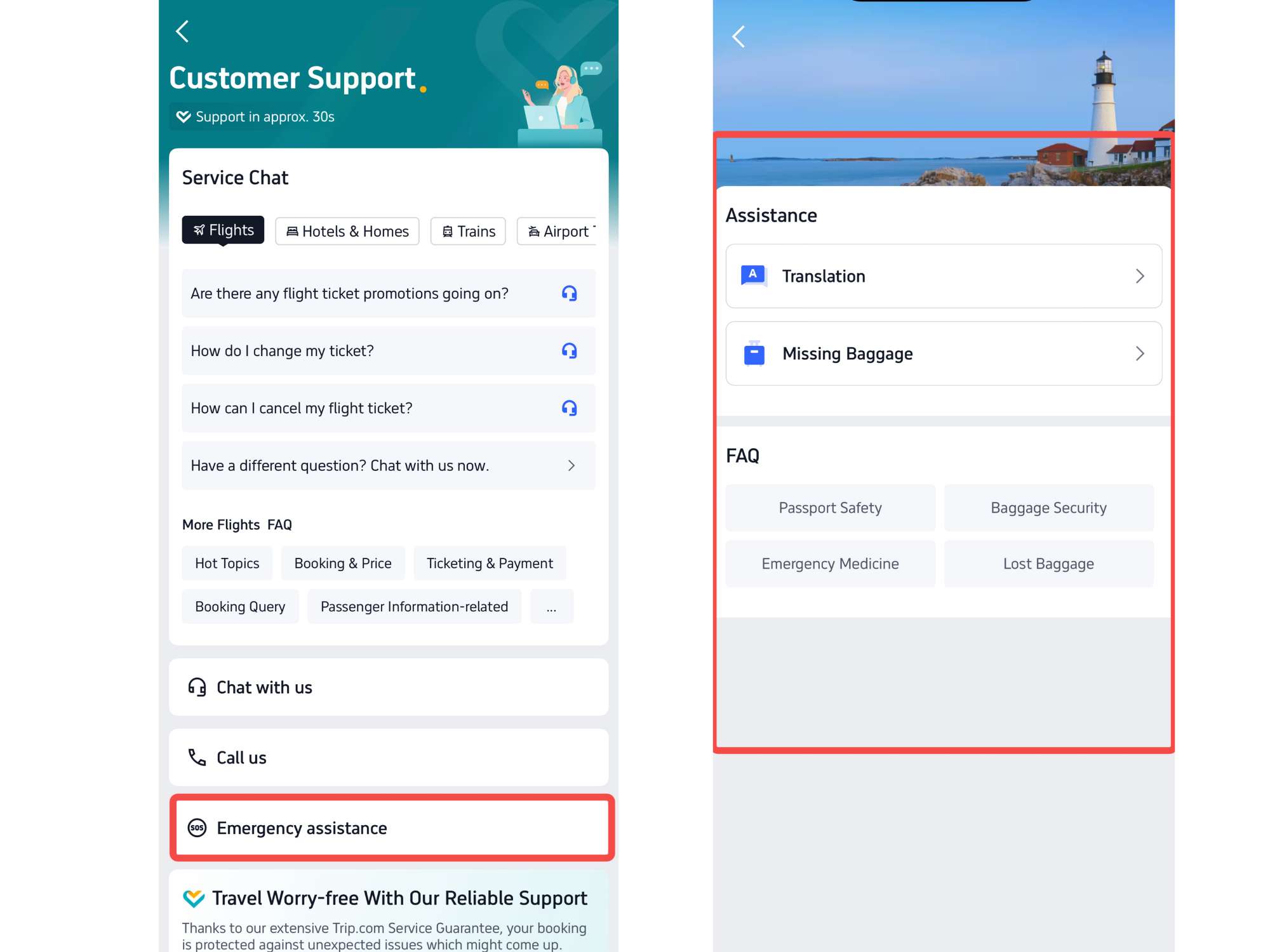
- Trip.com offers a variety of ways to get the help you need, including our Chat Service, Call Service, and Emergency Assistance
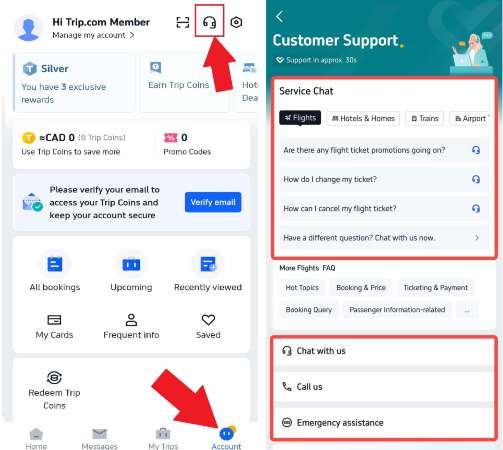
Trip.com Customer Service - Live Chat
- Tap "Chat With Us" to head over to the details page.
- Need a hand? The live chat service is here to help with everything from flights and hotels to transportation and travel tips!
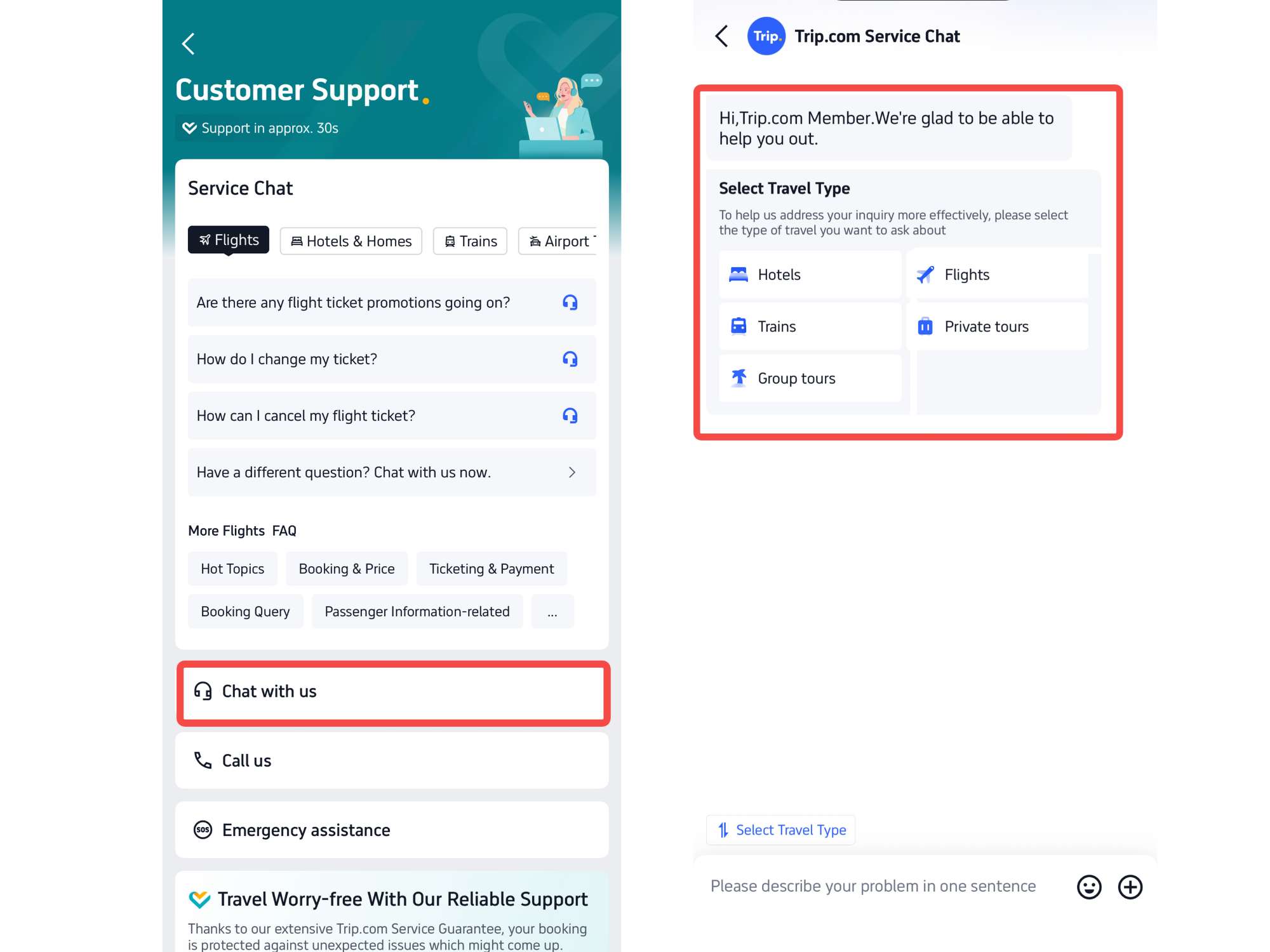
Trip.com Customer Service - Free Online Call
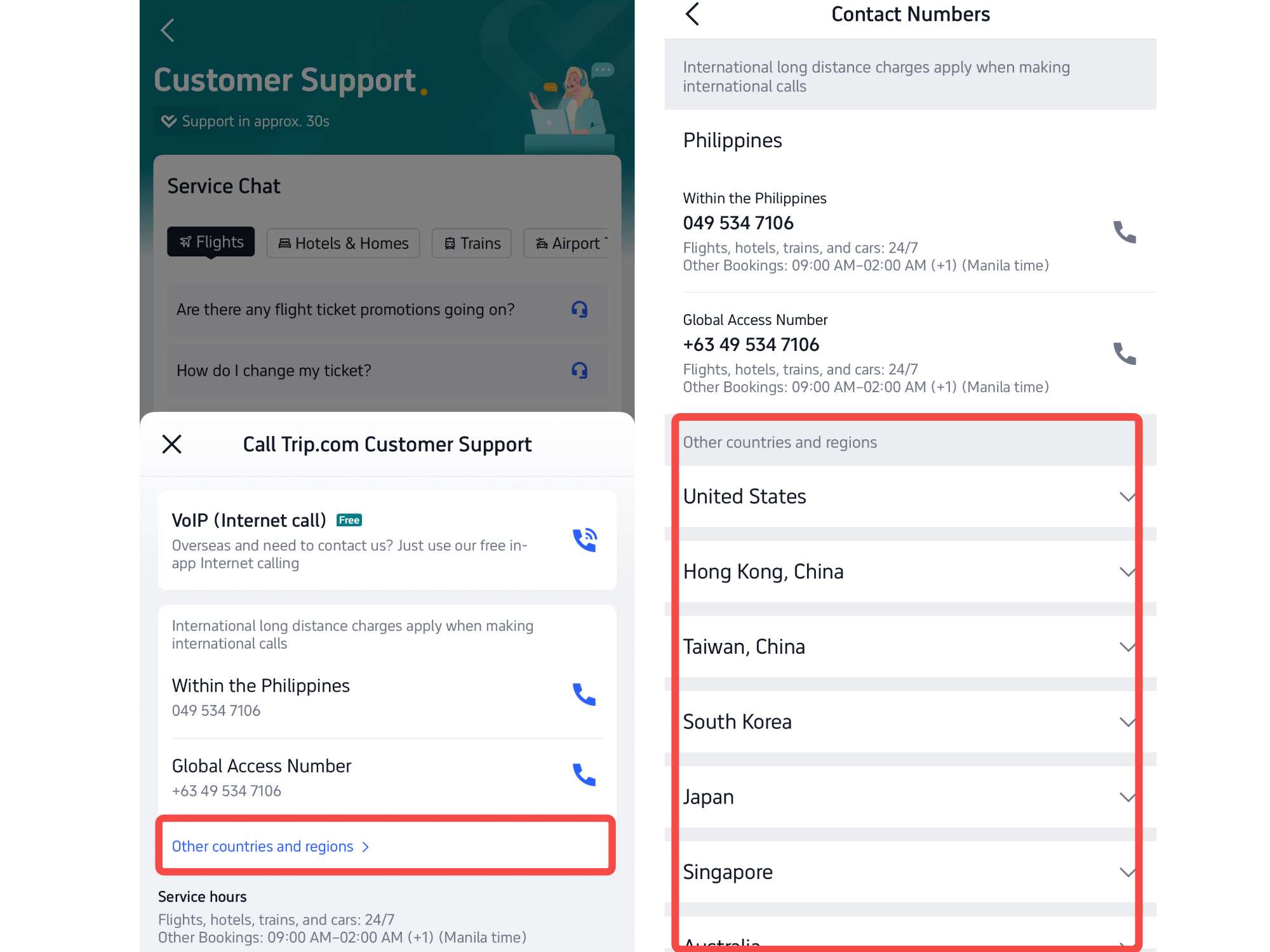
- Head over to the "Call Us" section to access the Trip.com call service page.
- Whether you prefer an Internet call or a Global call, you can easily choose the option that best fits your travel needs.
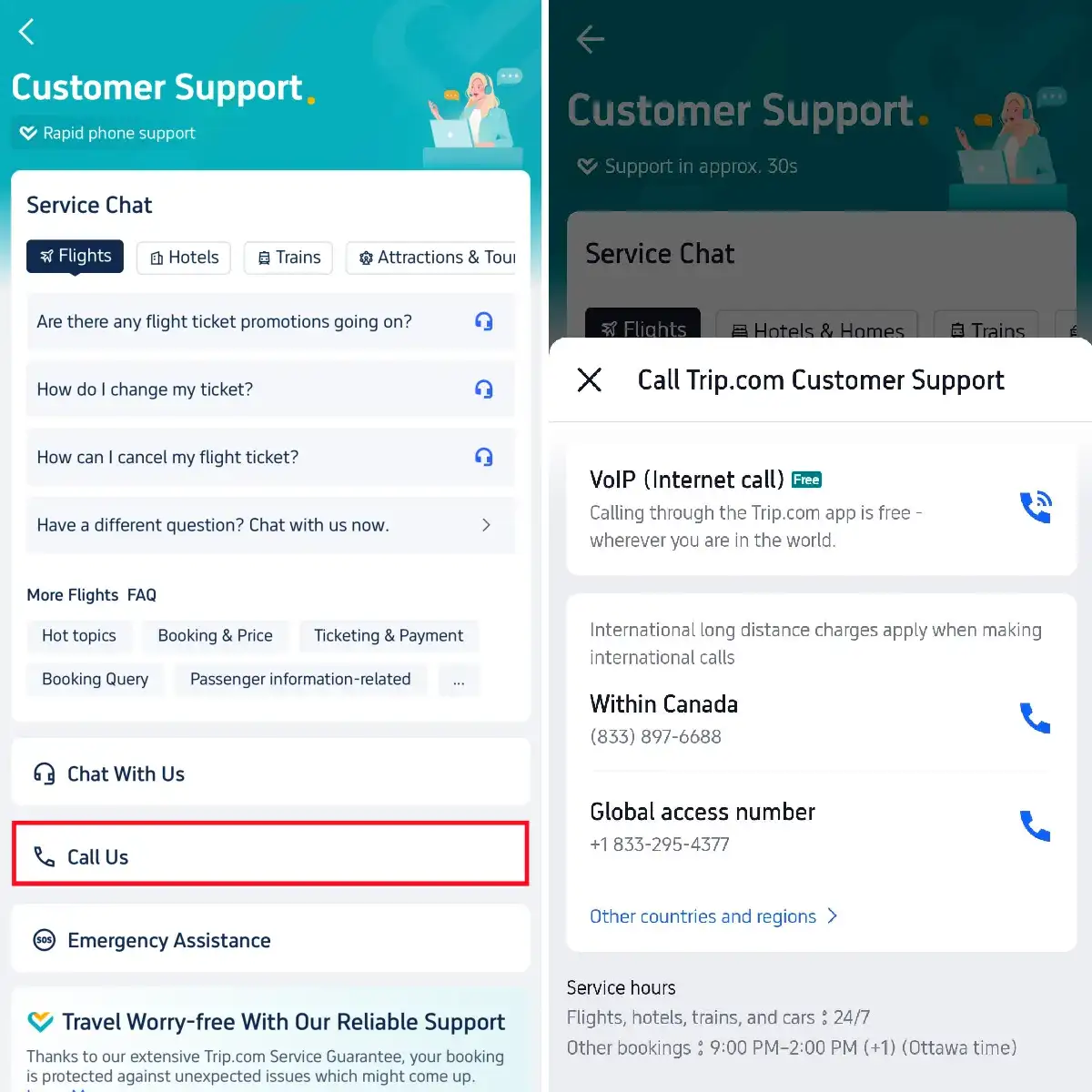
Contact Trip.com Customer Service from Other Countries and Regions
- If you're calling from outside your current location, you can find Trip.com customer service contact details in the "Other countries and regions" tab
- Click to view details, where you'll find contact numbers for a wide range of locations around the globe.
Trip.com Customer Service: Emergency Assistance
- Head over to the "Emergency Assistance" section for extra support, including help with translation, lost luggage, emergency medicine, passport safety, and more.
Stay Connected With Trip.com!
See all attractions
 659539 booked













How to Find Trip.com Customer Service on Website
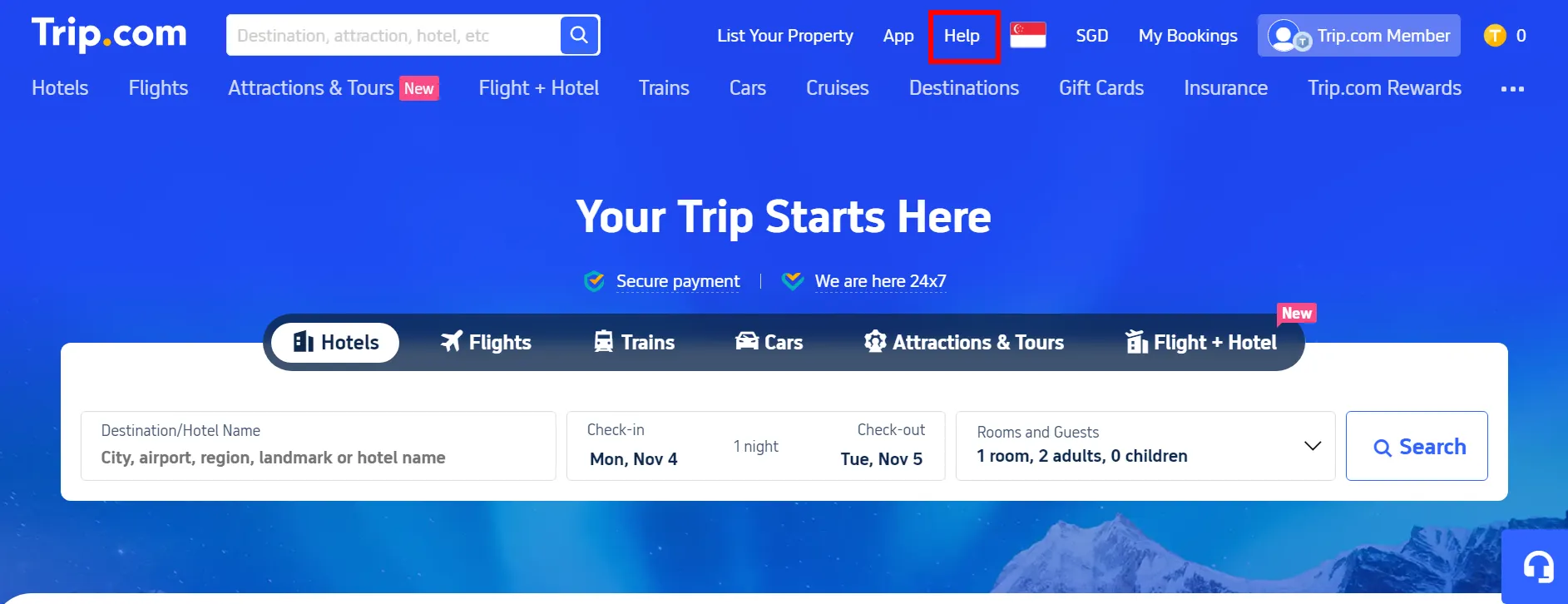
Step 1: Click "Help" at the top of the Trip.com website
- Get to the Trip.com website and click "Help" in the top right corner to reach the details page.
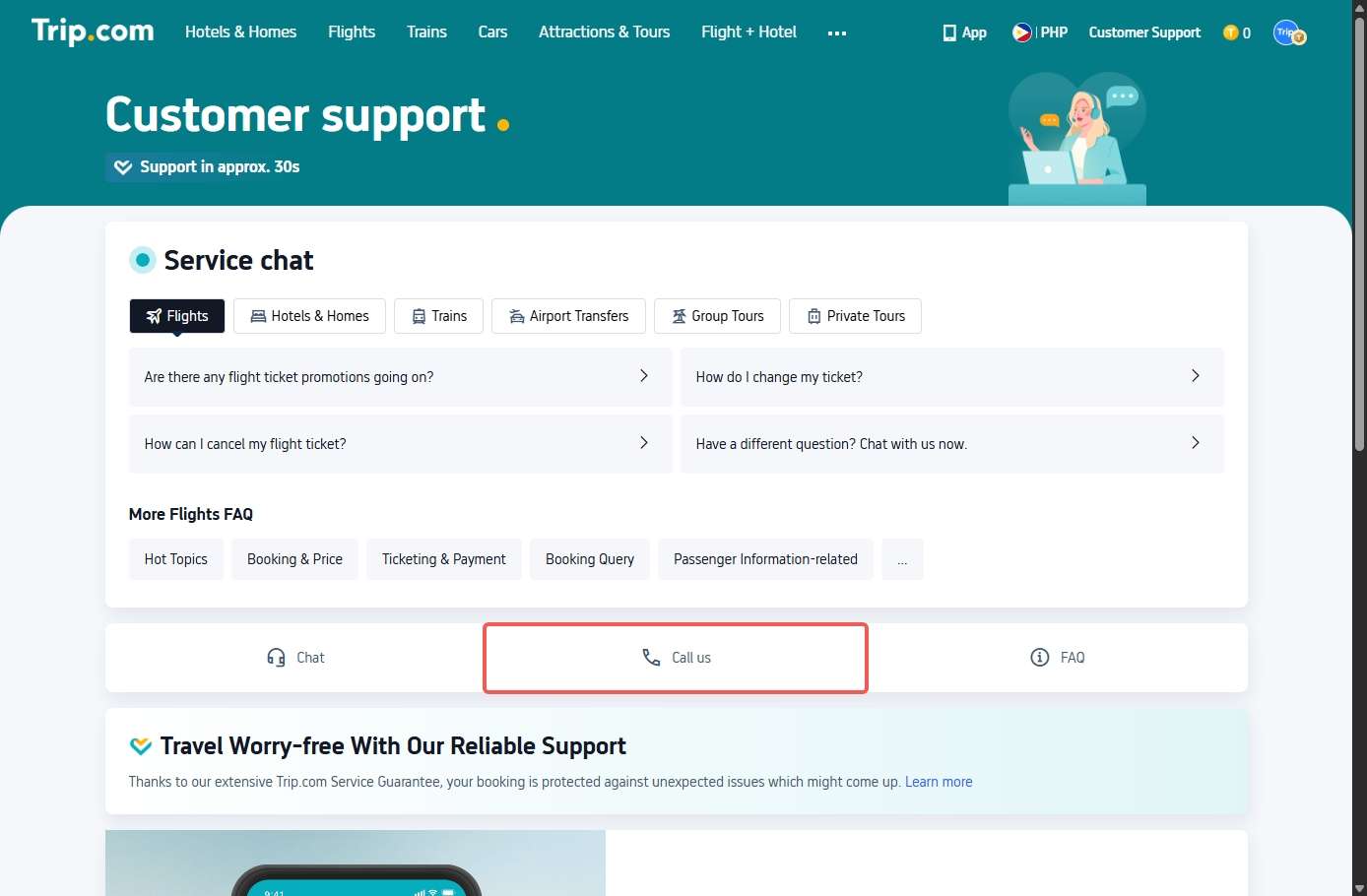
 Step 2: Tap "Call Us" on the Customer Support page
- Tap "Call Us" to learn more about Trip.com call service.
Step 3: Tap "Chat" on the Customer Support page
- Tap "Chat" to get to the details page and learn more about the chat service.
- Need a hand with something non-urgent? Trip.com chat service is here for you 24/7, connecting you directly with a real person.
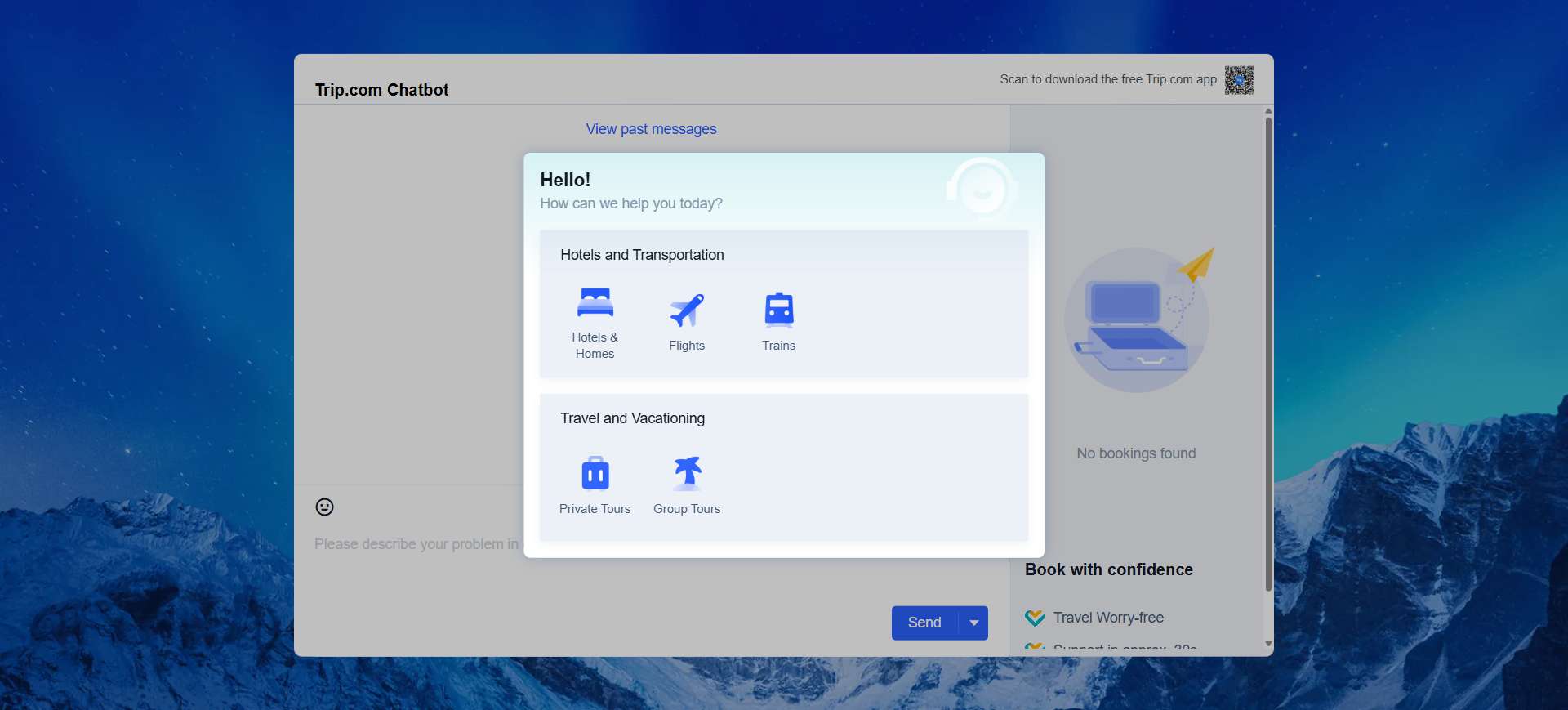
Trip.com Customer Service - Chat Live with a Representative
The Trip.com customer service chat is the fastest way to get the help you need—no waiting on hold required!
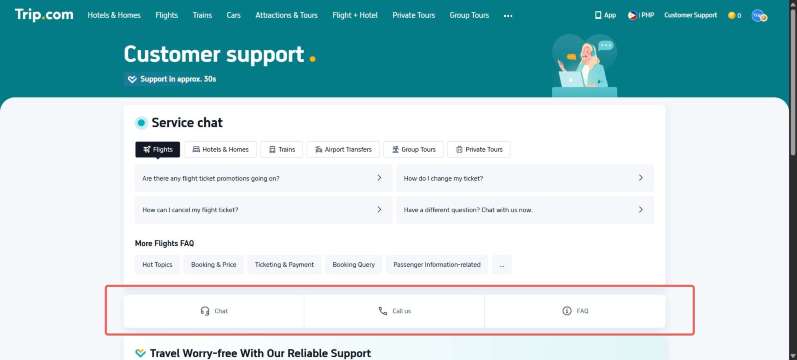
How to use Trip.com's live chat:
- Open the Trip.com app or website
- Log in and go to “My Bookings” to view your upcoming adventures
- Choose the booking you need help with
- Tap “Contact Customer Service”
- Tap "Live Chat" to get started
| Highlights | Learn more |
|---|---|
Response Time | Typically within 30 sec to a minute |
Language | English, Chinese, Korean, Japanese, and more |
Perfect For | Simple tasks like checking your refund status or confirming your booking |
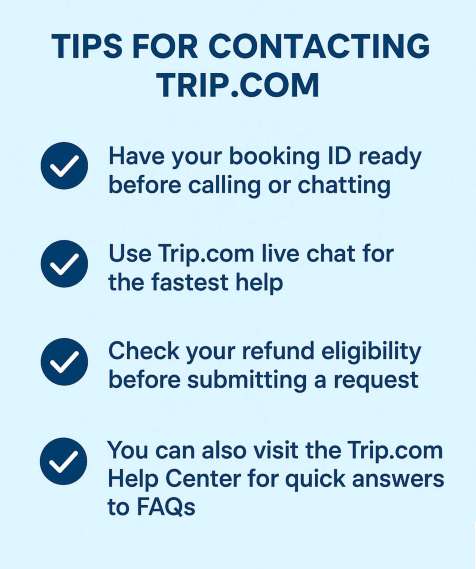
Tips for Contacting Trip.com Customer Support
How to Find Trip.com Contact: Phone Numbers & Live Chat
Find Trip.com contact info quickly. Get global phone numbers, access emergency support, and learn how to skip bots for live agent chat.
October 17, 2026
Trip.com Call Center: Contact Numbers & Support
Contact the Trip.com Call Center for support. Get global numbers, free online calling steps, in-app chat details, plus 10% off global hotels.
October 17, 2026
Trip.com Phone Numbers & Customer Service Guide
Discover how to find the right Trip.com phone number for your country. Get reliable customer service, booking assistance, and a 10% hotel discount
October 17, 2026
[10% OFF] Global Hotel Recommendations
New York
London
Rome
Paris
Sydney
Bangkok
See All Hotels

















































FAQ: Trip.com Customer Service
-
How do I contact Trip.com customer service?
-
Does Trip.com have live chat support?
-
Why can’t I reach Trip.com customer service?
-
Is Trip.com customer service 24/7?
-
What is the fastest way to get help from Trip.com customer service?
Disclaimer: This article has been provided by an individual contributor or third party platform. If there is any discrepancy regarding the copyright, please contact us directly and we will delete the content immediately.
Trending Searches
-
Trip.com links
-
eSIM/SIM card
-
Air travel guide
- Trip.com Cancellation Policy
- Trip Coins
- Trip.com Flight Change
- Trip.com E-Receipt
- Trip.com Seat Selection
- Trip.com Flight Cancellation Policy
- Trip.com E-Ticket
- Trip.com Customer Service
- Trip.com Payment Methods
- Trip.com Change Passport
- Trip.com Check in
- Trip.com Reviews
- Trip.com Ticket Issued Status
- Trip.com Flight Ticket
- Trip.com Baggage Allowance
- Trip.com Booking Fee
- Trip.com Booking Change
- Trip.com Call Center
- Air Flexibility
- Trip.com Price Match