Trip.com Call Center: Contact Numbers & Support

By Trip.com
June 28, 2026

This guide has everything you need to know: how to find Trip.com call centre number in your country, steps to make a toll-free online call, other support options, and practical tips for getting help quickly.
Bangkok
Singapore
Shanghai
Tokyo
Seoul
New York
See all flights


Trip.com Call Centre
Trip.com provides call centre support across over 40 countries and regions, with 24/7 assistance for flights, hotels, trains, and cars (most other reservations have specific time limits and International calls may incur charges).
You can also choose Trip.com in-app call (VoIP) for free on Trip.com App, check how to call for free in the next chapter!
How to Make a Free Trip.com Call Online
Trip.com offers free online calls (at no charge) through its app or website. This is an ideal choice if you don't want to pay for international calls or prefer a fast connection. Here's how to start it:
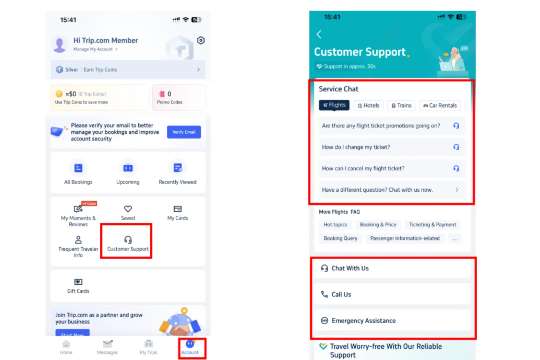
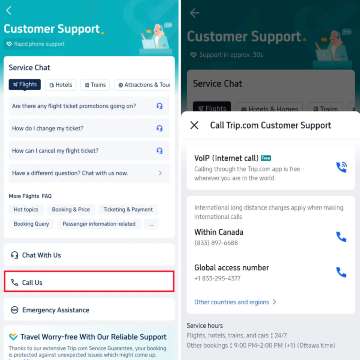 Step-by-Step for Trip.com Free Online Call
- Open the Trip.com app and log in.
- Follow the steps above to reach the Customer Support page (Account → Customer Service).
- Tap Call Us, then look for the VoIP (Internet Call) option (marked with a Wi-Fi symbol next to the phone icon).
- Select your issue type from the drop-down (e.g., “Booking Change,” “Refund Inquiry”) and enter your booking ID (if you have one) + a brief description of your problem.
- Tap “Connect” to start the call—you’ll be matched with a live agent (in English or your local language).
Benefits of Trip.com Online Call
- Free (Wi-Fi/ data usage, no phone charges).
- Faster than regular calls (shorter waiting times for common questions).
Stay Connected With Trip.com!
See all attractions
 659539 booked













How to Find Trip.com Call Centre Numbers
1. Via Trip.com App (iOS/Android)
- Open the Trip.com app and log in to your account.
- Click on the Account icon (the outline of the character) at the lower right corner of the screen.
- Scroll down to the "Help and Support" section and click on "Customer Service".
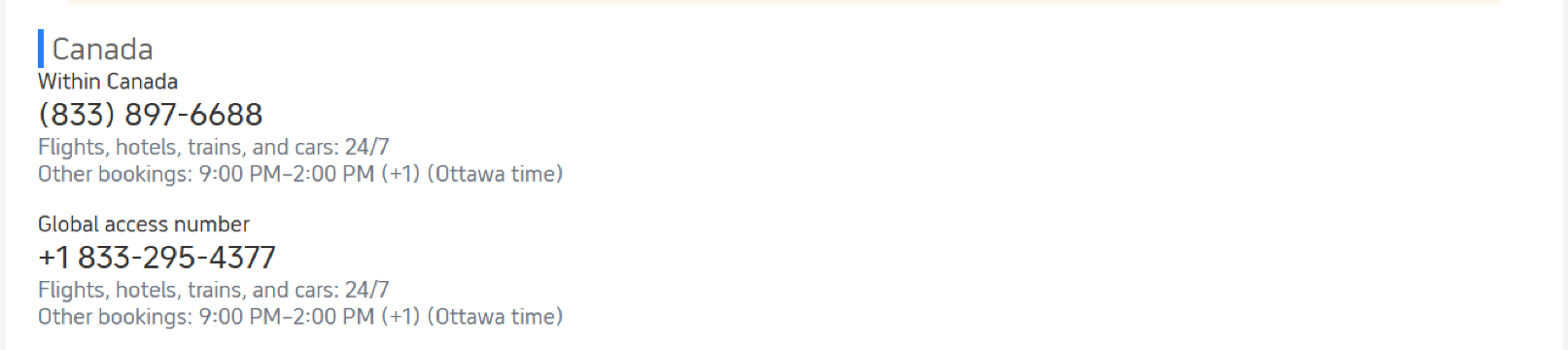
- On the "Customer Service" page, click "Call Us", and you will see a list of numbers suitable for your current location (for example, if you are in Canada, it will display phone numbers in Canada and global access numbers). If you want to see the full table, please choose Other countries and regions
2. Via Trip.com Website (Desktop/Mobile Browser)
- Go to Trip.com’s official website and log in. Scroll to the bottom of the homepage and click Help Center (under “Customer Support”).
- Select your country/region from the drop-down menu—your local call centre number and global access number will appear.
Other Trip.com Customer Support Channels (In-App Chat)
If you don't want to call, Trip.com also offers other reliable support channels:
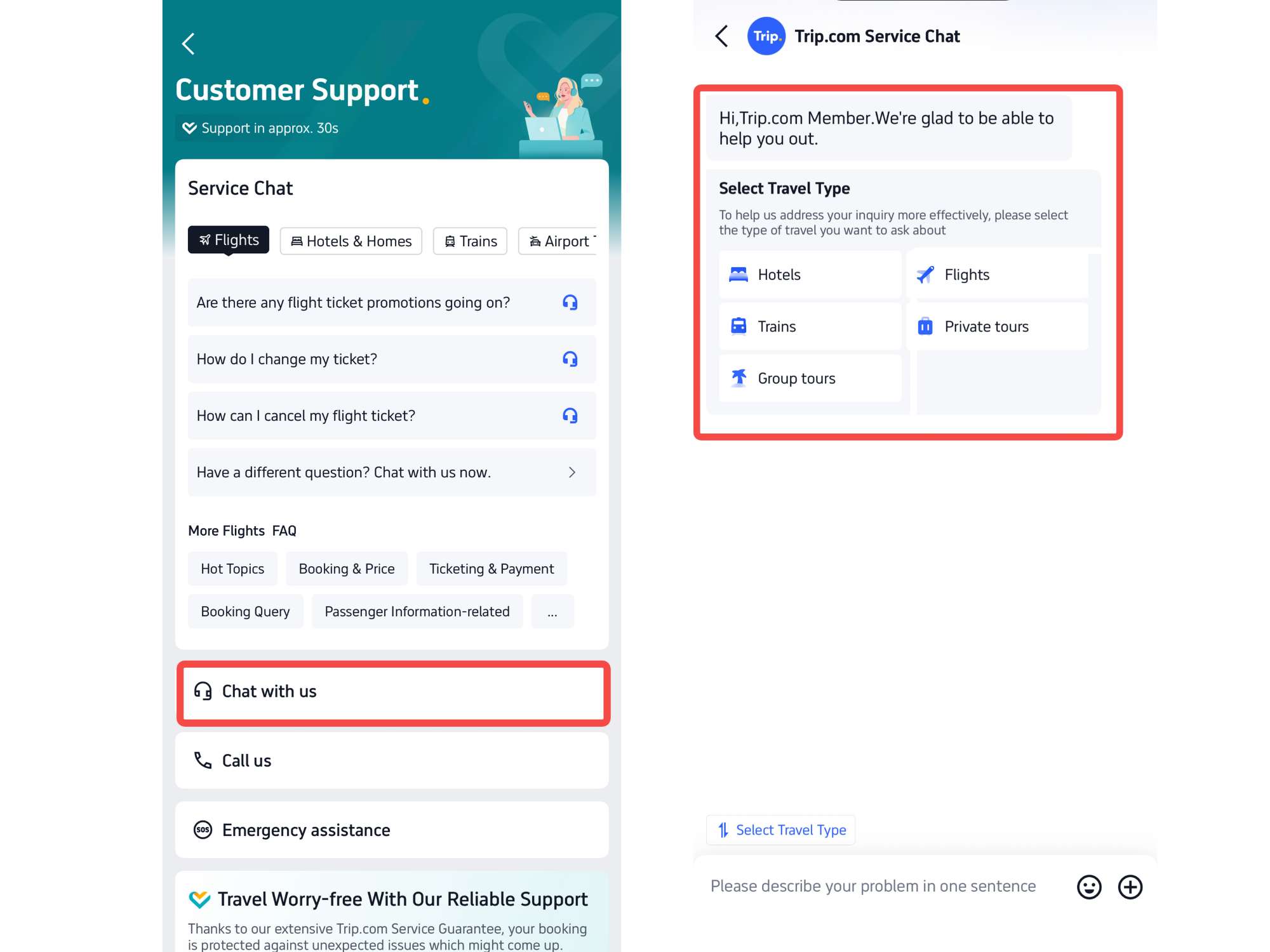
1. In-App Chat (Instant Messaging)
For non-urgent questions (e.g., “What’s the baggage allowance for my flight?”), use the in-app chat:
- On the Customer Service page, tap the Chat with us icon under service chat section.
- Enter your question here or select from travel types or common topics (e.g., “Booking Help,” “Refund Status”).
- The chatbot will respond first, if it cannot solve your problem, enter “Speak to a human” to connect to a live agent.
[10% Off] Global Hotel Recommendations
Bangkok
Singapore
Shanghai
Tokyo
Seoul
New York
See All Hotels

















































FAQs about Trip.com Call Center
-
What is Trip.com’s global English-speaking call center number?
-
Are calls to Trip.com’s global access number free?
-
Can I call Trip.com 24/7?
-
How long does it take to connect to a Trip.com live agent?
-
Can I change or cancel a booking via the call center?
-
Does Trip.com offer customer service in languages other than English?
Disclaimer: This article has been provided by an individual contributor or third party platform. If there is any discrepancy regarding the copyright, please contact us directly and we will delete the content immediately.
Trending Searches
-
Trip.com links
-
eSIM/SIM card
-
Air travel guide
- Trip Coins
- Trip.com Flight Change
- Trip.com E-Receipt
- Trip.com Seat Selection
- Trip.com Flight Cancellation Policy
- Trip.com Customer Service
- Trip.com Payment Methods
- Trip.com Phone Number
- Trip.com Membership
- Trip.com Change Passport
- Trip.com Check in
- Trip.com Ticket Issued Status
- Trip.com Baggage Allowance
- Trip.com App
- Trip.com Booking Change
- Trip.com Contact
- Air Flexibility
- How to List your Property on Trip.com
- Trip.com Pay Installments
- Trip.com Booking Confirmation