Trip.com Ticket Issued Status: App Guide & PNR Tips

By Trip.com
April 10, 2026
Once you’ve booked your flight on Trip.com, confirming whether your ticket has been issued is essential. Whether you’re a first-time user or a frequent flyer, this guide will show you how to quickly check your ticketing status and find your Passenger Name Record (PNR) through our app.
We will also clarify the difference between a PNR and a ticket number, so you can make sure your ticket has been officially issued.
Bangkok
Singapore
Shanghai
Tokyo
Seoul
New York
See all flights


How to Check Your Trip.com Ticket Issued Status on the App
Step 1: Find your flight reservation in Trip.com app
Log into your Trip.com account and tap " Upcoming" to find your flight bookings. Choose the flight you want to check and tap on Flight Status to review.
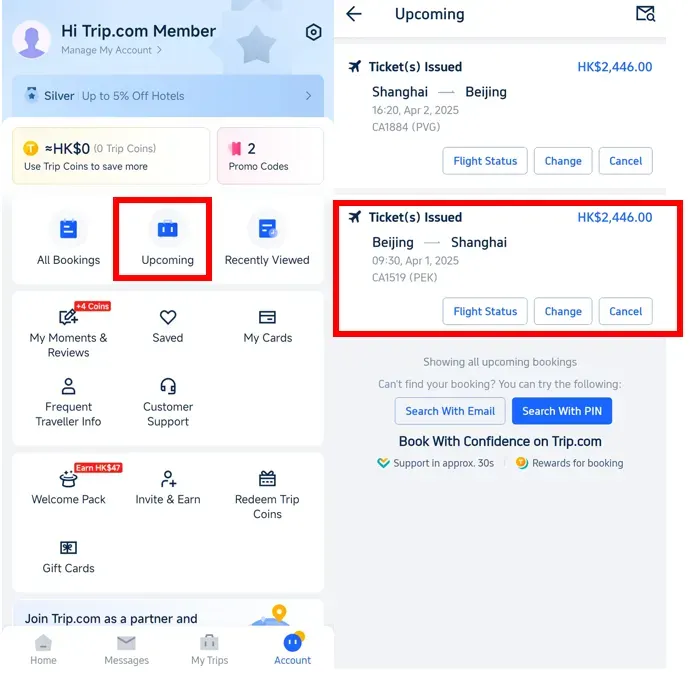
Step 2: View Ticket Issued Status
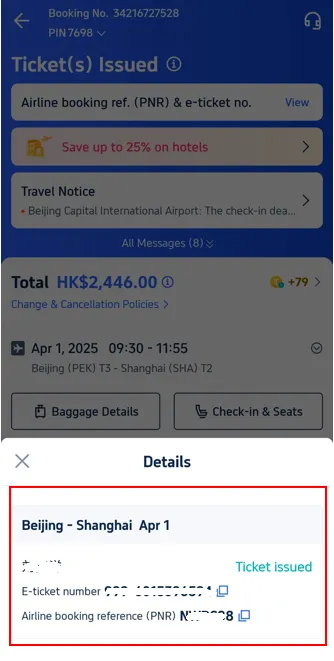
Tap on "View" to check whether your Trip.com ticket is issued or not.

Step 3: Confirm Trip.com issued status
Check the details to confirm your ticket has been issued.
Stay Connected With Trip.com!
See all attractions
 657114 booked













What is a Flight Booking Number (PNR)?
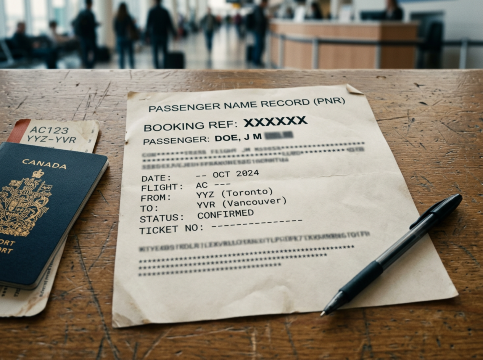
A PNR (Passenger Name Record) is your booking reference that airlines use to track your passenger and flight information. This code is generated right after you finish booking your flight on Trip.com.
Think of your PNR as a personal reference code that stores all your travel details in one place—passenger names, flight routes, seat picks, meal choices and more. Simply put, getting your PNR means your booking is officially in the system, and you only need to wait for the airline to issue your ticket.
Trip.com Ticket Issuance Status: PNR vs. Ticket Number vs. Airline Confirmation Code
Many travellers often get confused between a PNR, airline confirmation code, and E-ticket number. To help clear things up, the table below shows the differences at a glance:
Booking Number (PNR) | Airline Confirmation Code | E-ticket Number |
|---|---|---|
The booking code issued by Trip.com is used to confirm your reservation with the agency. | This is the code issued directly by the airline. Use it to check your flight details or check in on the airline's website. | Your 13-digit e-ticket number confirms that your payment and ticket issuance are complete. |
Found in your Trip.com booking confirmation email or the "All Bookings" page in the app. | You can find this in your Trip.com booking details or the email from the airline. | Found in the final ticket issuance email from Trip.com. |
Pro-tip: Once you’ve received both your booking reference (PNR) and E-ticket number, that means your ticket is fully confirmed and you're all set!
How to Get Your E-Ticket on Trip.com
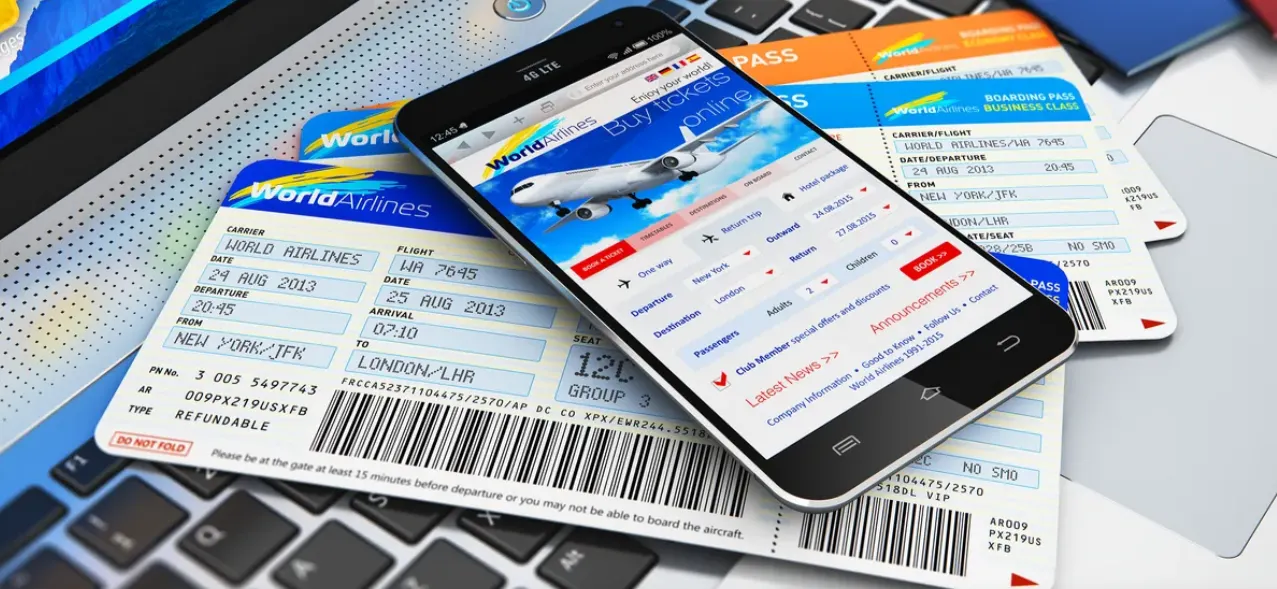
After booking a flight on Trip.com, you’ll need your e-ticket and boarding pass to travel. Here’s how to get them:
How to Get Trip.com E-Ticket
The e-ticket is a confirmation of your booking. It’s your proof of purchase and contains all the essential details about your flight.
Once your booking on Trip.com is confirmed, you can access your e-ticket (issued by the airline) through several options:
Method | How to Get It |
|---|---|
Email Confirmation | Check your email for a confirmation message from Trip.com. This email includes a link to view or download your e-ticket. |
| |
Customer Support | If you can’t locate your e-ticket, contact Trip.com support. They can verify your booking and guide you on retrieving it. |
- E-tickets are typically issued by the airline shortly after the booking is confirmed.
- If your e-ticket doesn’t appear immediately, it may still be processing. Check back later or use your booking reference (PNR) to retrieve it directly on the airline’s website or app.
How Long Does It Take for Trip.com to Issue Your Ticket?

On Trip.com, ticket issuance times differ based on the fare type you’ve booked. It can take just a few minutes, up to 2 hours, 24 hours before departure, or even one day prior to your trip. You can check the exact issuing time in our booking policies on the website or your booking confirmation email.
With just a few simple steps, you can easily check your booking status and flight PNR on your own. It’s quick and convenient whether you use the Trip.com app or website, so you’ll always be prepared for your next trip.
[10% OFF] Global Hotel Recommendations
Bangkok
Singapore
Shanghai
Tokyo
Seoul
New York
See All Hotels

















































FAQs about Trip.com Ticket Issued Status
-
What does ticket issued mean on trip com?
-
How do I check my tickets on Trip.com?
-
How long does it take Trip.com to issue a ticket?
Disclaimer: This article has been provided by an individual contributor or third party platform. If there is any discrepancy regarding the copyright, please contact us directly and we will delete the content immediately.
Trending Searches
-
Trip.com links
-
eSIM/SIM card
-
Air travel guide
- Trip.com Cancellation Policy
- Trip Coins
- Trip.com VIP Lounge Access
- Trip.com E-Receipt
- Trip.com Flight Cancellation Policy
- Trip.com E-Ticket
- Trip.com Customer Service
- Trip.com Payment Methods
- Trip.com Hotel Refund
- Trip.com Membership
- Trip.com Check in
- Trip.com Reviews
- Trip.com Ticket Issued Status
- Trip.com Flight Ticket
- Trip.com Baggage Allowance
- Trip.com App
- Trip.com Booking Change
- Trip.com Contact
- Trip.com Price Match
- Trip.com Pay Installments