Trip.com Phone Numbers & Customer Service Guide

By Trip.com
June 29, 2026

If you're planning your next vacation or business trip and need assistance with bookings, cancellations, or general inquiries, Trip.com is here to help. This article will provide a complete guide to find Trip.com phone number. Trip.com's got your back till the end!
New York
Singapore
Shanghai
Tokyo
Seoul
Bangkok
See all flights


Benefits of Trip.com Call Service

Trip.com offers 24/7 call service for 30 countries and Regions. Check the Trip.com Phone Number List to learn more!
- Personalized Customer Service: Trip.com call service provides personalized customer service where customers can directly speak to a representative to solve their queries or issues.
- 24/7 Availability: Trip.com call service is available 24/7, which means customers can reach out to them at any time of the day or night.
- Multilingual Support: Trip.com call service offers support in 30 languages, making it easier for customers from different regions to communicate their concerns effectively.
Trip.com Customer Service Page
Log in to your Trip.com account on your mobile phone and go to "Account" section. Then click on the "Customer Support" button to view the detail.
Trip.com offers various customer services, including Chat service, Call service, and Emergency assistance. Customers can choose the most suitable service based on their needs.
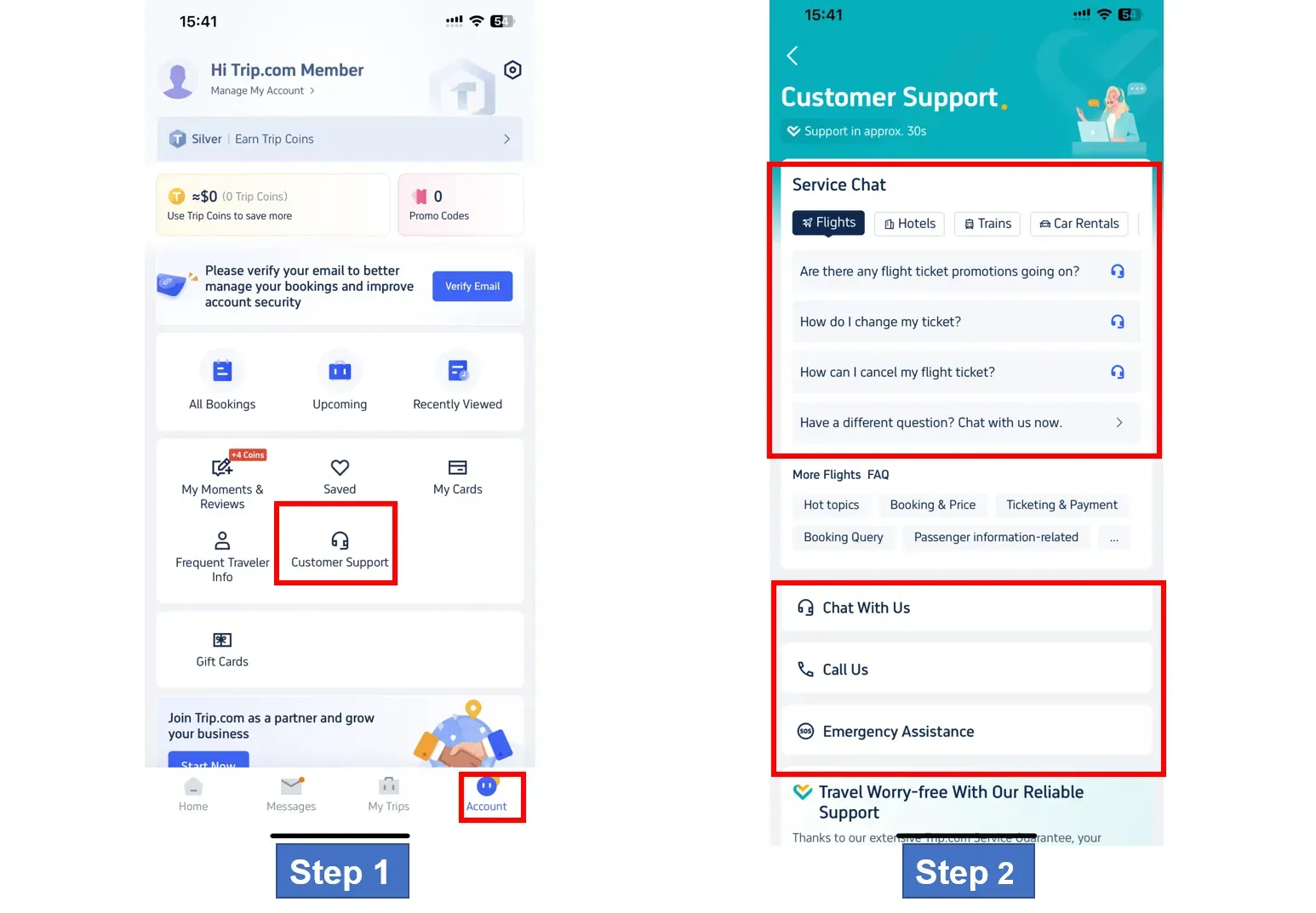
Where to Find Trip.com Phone Number
For Call service, click on "Call US" to enter the Trip.com phone number page. Customers can choose Internet call or Global call based on their specific need.
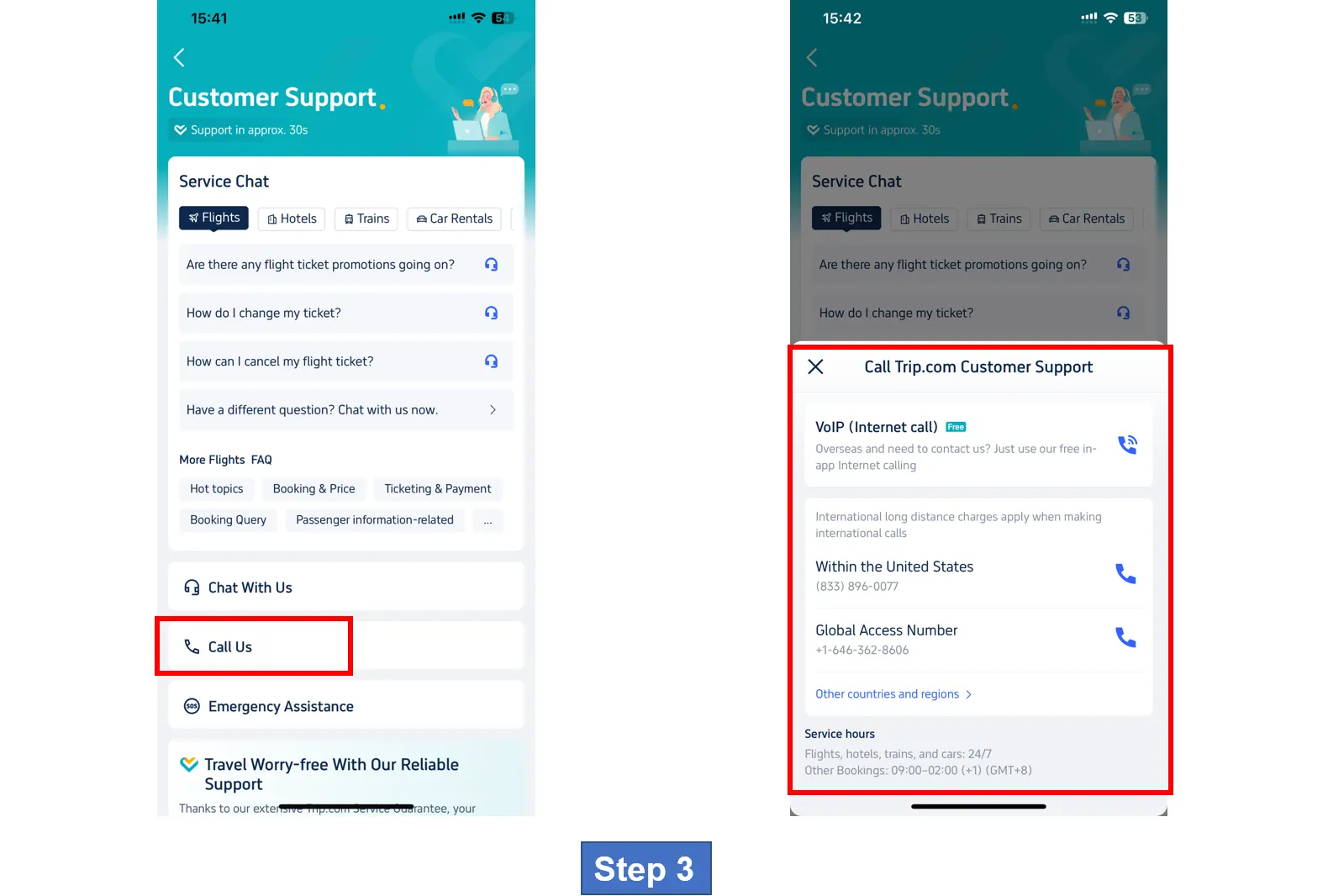
Trip.com Phone Number of Other Countries & Regions
If customers need to find Trip.com phone numbers from other countries and regions, click on the button "Other countries and regions" to veiw the detail.
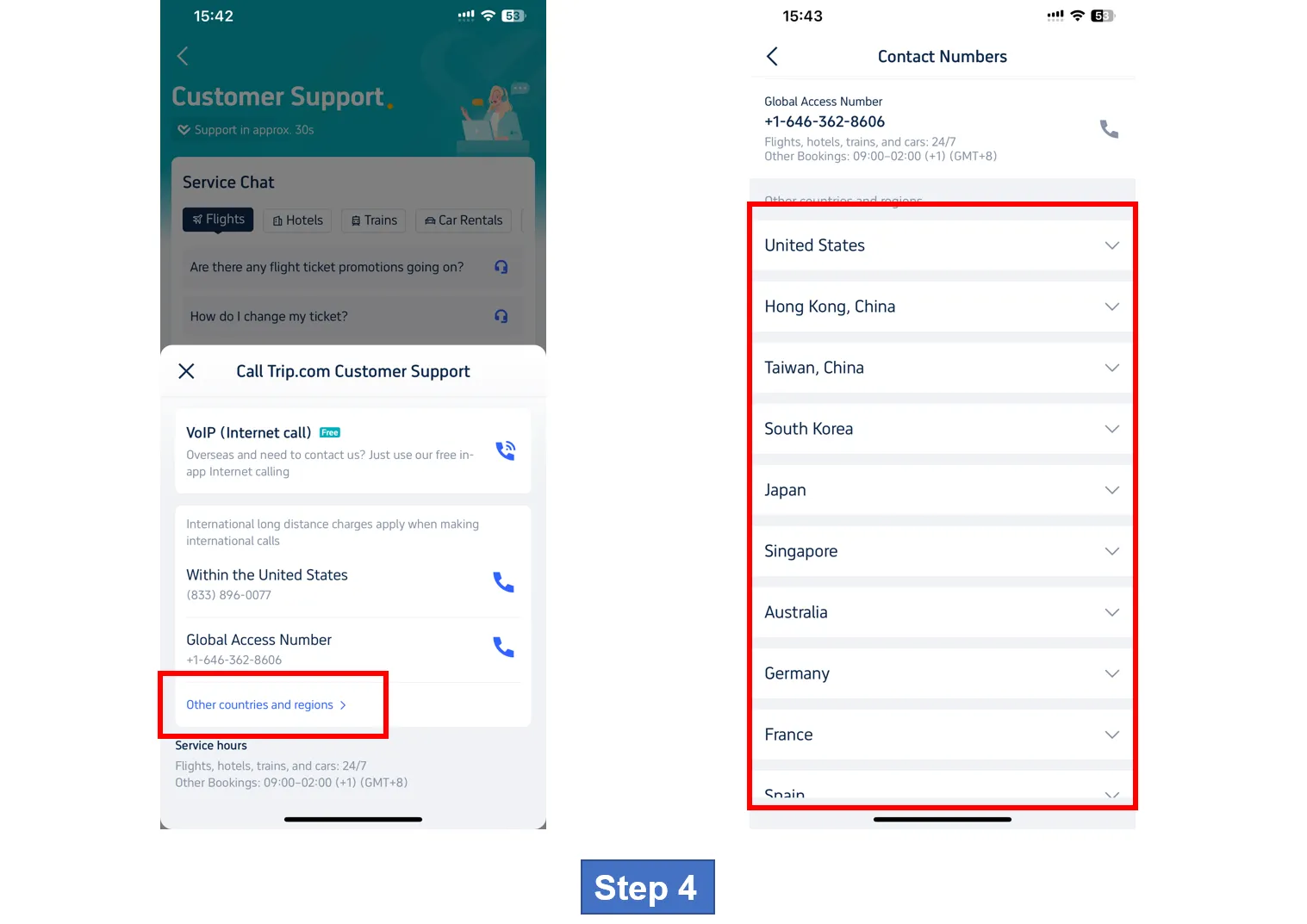
*The screenshots are only for reference.
Special Note: Trip.com Call Service is Available 24/7 & Support in Approx. 30 sec.
[10% OFF] Global Hotel Recommendations
Bangkok
Singapore
Shanghai
Tokyo
Seoul
New York
See All Hotels
 NO.1
NO.1
















































Trip.com Phone Number
-
Does Trip.com have a live chat option for Canadian customers?
-
What Trip.com phone number should I use if I'm in Toronto or another Canadian city?
-
Is there Trip.com email contact option for customer support?
Disclaimer: This article has been provided by an individual contributor or third party platform. If there is any discrepancy regarding the copyright, please contact us directly and we will delete the content immediately.
Trending Searches
-
Trip.com links
-
eSIM/SIM card
-
Air travel guide
- Trip.com Cancellation Policy
- Trip Coins
- Trip.com VIP Lounge Access
- Trip.com Flight Change
- Trip.com E-Receipt
- Trip.com Flight Cancellation Policy
- Trip.com Customer Service
- Trip.com Payment Methods
- Trip.com Phone Number
- Trip.com Hotel Refund
- Trip.com Change Passport
- Trip.com Check in
- Trip.com Ticket Issued Status
- Trip.com Booking Fee
- Trip.com Contact
- Trip.com Call Center
- Air Flexibility
- How to List your Property on Trip.com
- Trip.com Pay Installments
- Trip.com Booking Confirmation