
Trip.com Booking Confirmation: How to Find Your E-Ticket

By Trip.com
September 7, 2026
Discover what a Trip.com booking confirmation looks like, how to get yours, check its status, and learn the difference between a confirmation and an e-receipt.
New York
Los Angeles
London
Rome
Paris
Shanghai
See all flights


What Is a Trip.com Booking Confirmation?
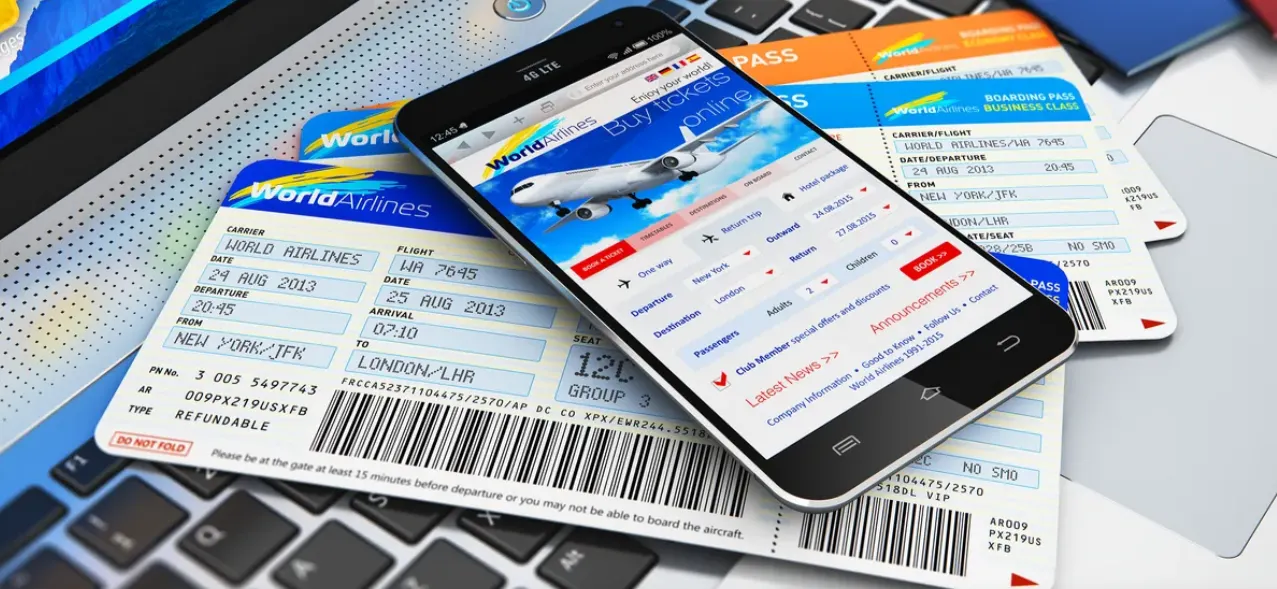
A Trip.com booking confirmation is your official digital record, confirming that your travel reservation (flight, hotel, etc.) has been received and is being processed or finalized. It’s not a physical document—you’ll receive it via email, or you can easily view it in the Trip.com app or on our website.
You might need this confirmation for a few different parts of your trip:
- To check your reservation status (so you don’t show up to a flight or hotel that isn’t booked!)
- To check in at the airport (just have your booking reference number or e-ticket number handy!)
- To modify or cancel your booking later
- To easily check key details like flight times, baggage policies, or hotel check-in hours
Sample Trip.com Booking Confirmation (e-Ticket)
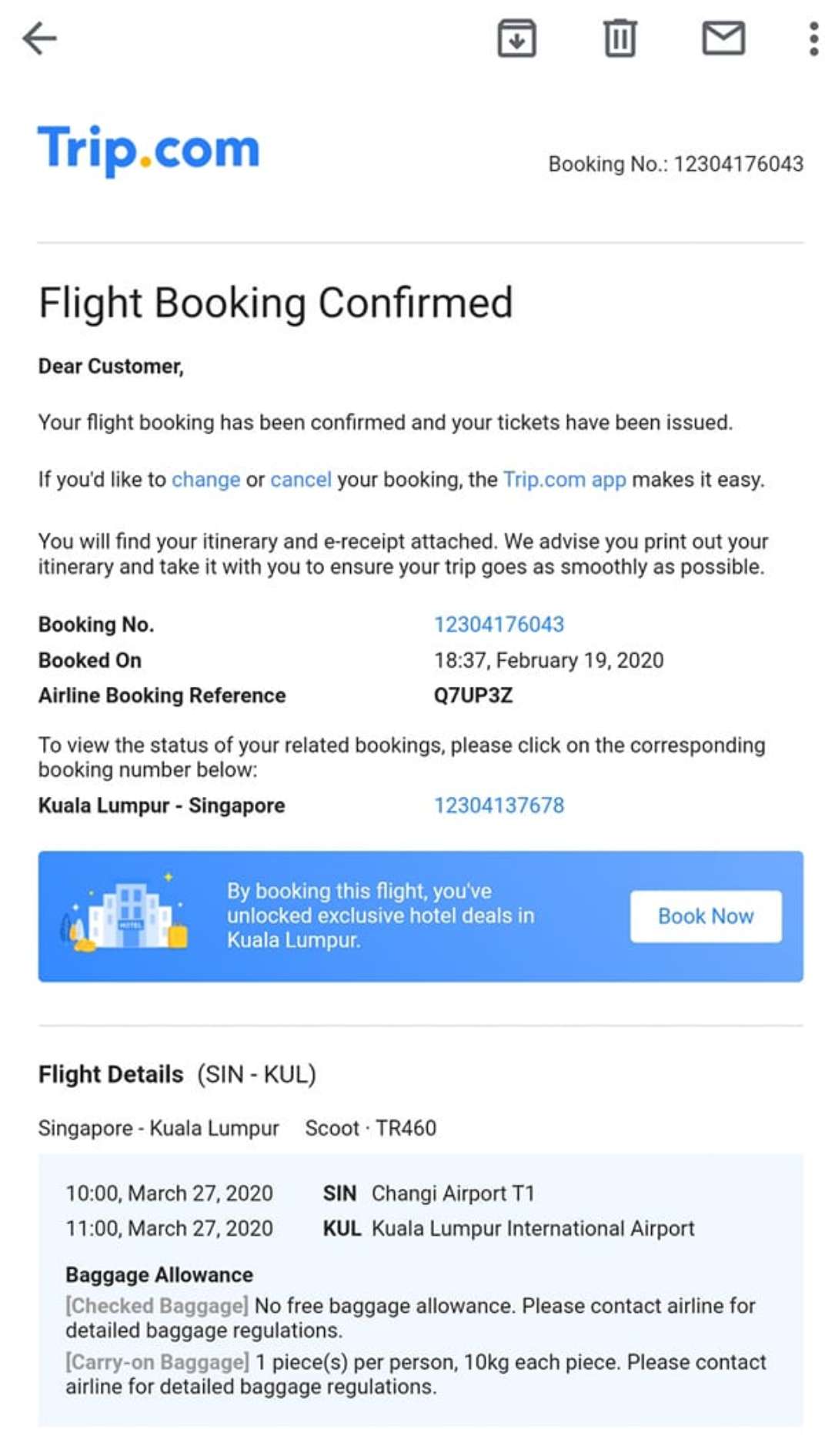
Here’s a look at my sample confirmation (Trip.com e-Ticket), along with all the essential details you’ll want to double-check:
- Booking Number: Your unique code to keep track of your reservation.
- Airline booking reference (PNR): A code (e.g., Q7UP3Z) you can use to check your booking directly with the airline.
- Travel Itinerary: For your flights, be sure to note the route, flight number (TR460), departure and arrival times (10:00 to 11:00), and the airport terminals.
- Baggage Allowance: Rules like "no free checked baggage, up to 2 pieces of cabin baggage with a combined weight of 10kg per person" (just an example; your actual allowance will depend on the airline and fare type).
- Booking Timestamp: The date and time you confirmed your reservation (e.g., 6:37 PM, February 19, 2020).
⚠️ Important: The details above are just examples to help you plan. Flight numbers, routes, and baggage policies can change at any time, so please be sure to check your specific booking confirmation and the airline's official website for the most up-to-date information.
Stay Connected With Trip.com!
See all attractions
 683820 booked













How to get your Trip.com booking confirmation
Here are the general steps to find your confirmation, based on how things typically work at Trip.com:
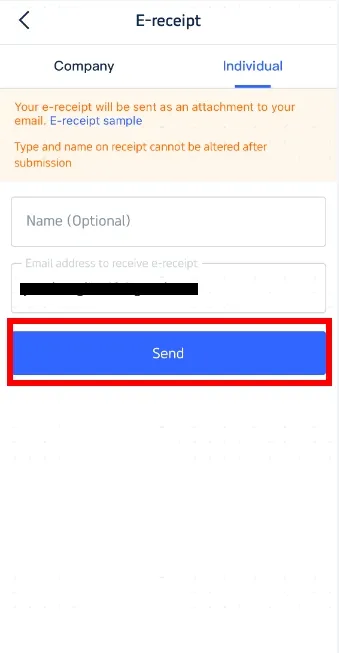
Get your Trip.com booking confirmation via email
Once your payment has been successfully processed, Trip.com will typically send a booking confirmation email to the address you used for registration or booking. Delivery times can vary; while you'll usually receive it shortly after payment, some bookings may require a little extra processing time.
Your email includes your reservation details, and you might find an e-receipt attached (formats can vary). Feel free to save the email or download the attachment to keep handy for your trip.
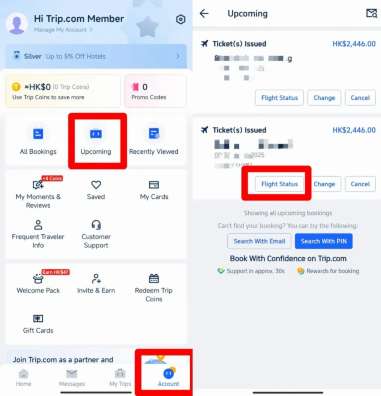
Get your Trip.com booking confirmation via the Trip.com app
- Open the Trip.com app on your phone.
- Make sure you're logged in with the same account you used to book your trip.
- From the app’s home screen, head over to your trip list—you’ll usually find it right in the bottom menu bar, though the exact name and spot might shift a little depending on your app version and where you are in the world!
- Just scroll through your list of trips to find the booking you’re looking for.
- Simply tap that booking entry to open the full details page, where you’ll find your complete booking confirmation, including reference numbers and your itinerary.
- To save your confirmation, just look for the download or save option on the details page (keep in mind that these options can vary depending on your booking type and app version).
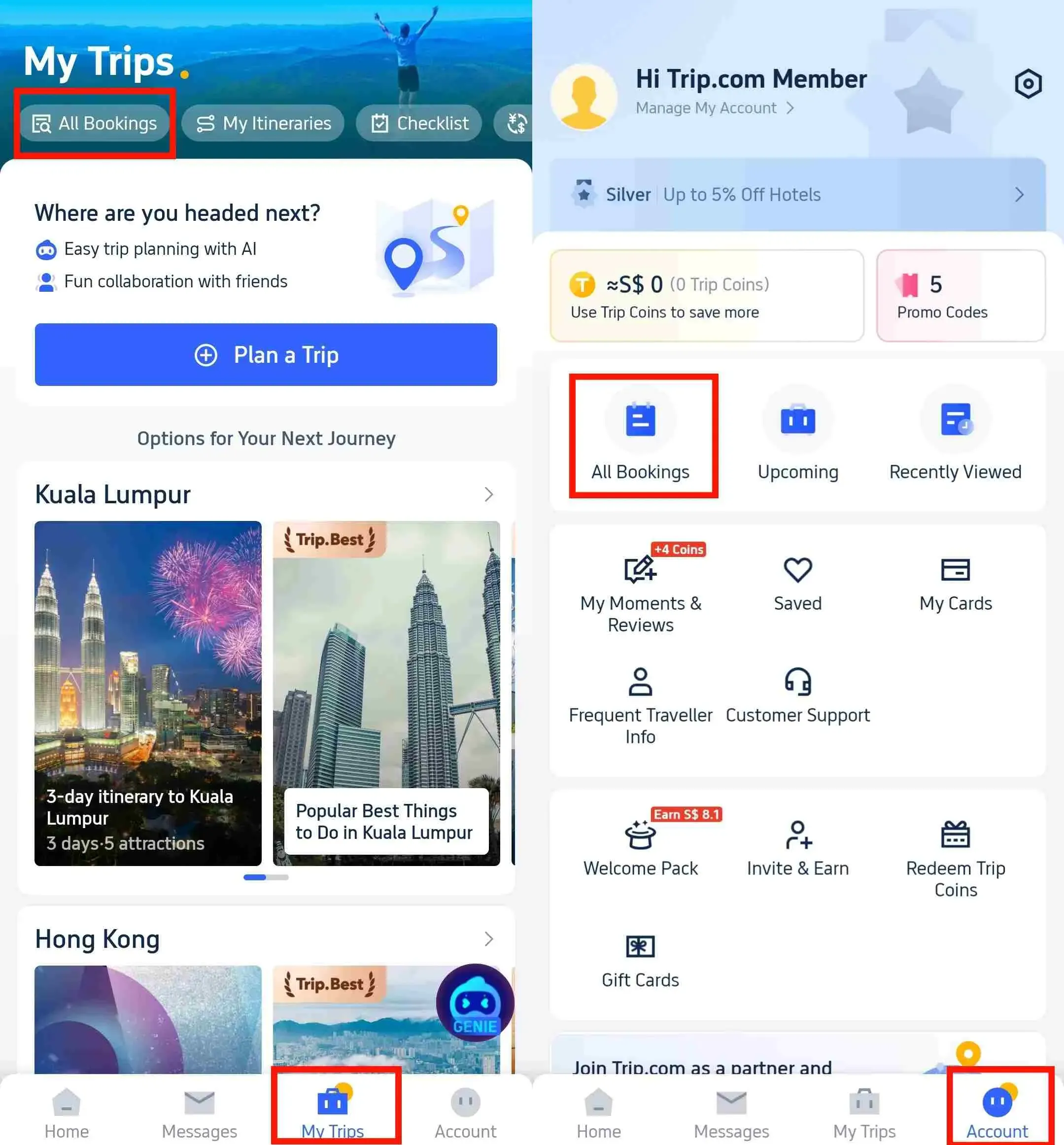
Get your Trip.com booking confirmation via the Trip.com website
- Go to the official Trip.com website.
- Sign in to your Trip.com account.
- Head over to your bookings section (you'll usually find this under your account name or profile menu, though it might look a little different depending on the site version).
- From your list of bookings, simply select the one you’d like to view.
- On the booking details page, you’ll find all your confirmation info. Just look for the e-receipt or download option to save a copy to your computer.
How Long Does It Take to Get Your Trip.com Booking Confirmation & Ticket?
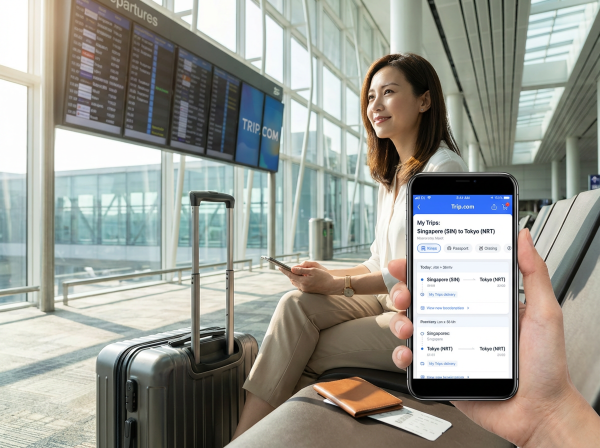
- Booking Confirmation: Generally sent shortly after your payment is successfully processed on Trip.com—you will typically receive the email notification soon after, and the information will be synced to your Trip.com account (app/website). Some bookings may show a "Processing" status temporarily before full confirmation is issued.
- Flight Ticket Issuance: For flight bookings made between 06:00 and 23:25 (GMT+8), Trip.com will typically send a ticket issuance notification email with the e-ticket number and PNR within 15 minutes; the ticket status will also be updated in your account. This timeframe is an estimate and may vary based on booking conditions, airline response time, and other factors. Some bookings may take a little longer to process. If you book outside our 06:00–23:25 (GMT+8) window, don't worry! Your ticket issuance might take a little extra time and will typically be processed the next business day.
Discover Exciting Tours Worldwide!
Tokyo
London
Shanghai
Sydney
See all attractions




![[Official Ticket] Hakone/Hakone-Kamakura/Fuji-Hakone Free Pass (Physical Redeemable Ticket) | Explore iconic Japanese landmarks like Fuji and scenic spots like Shonan from Slam Dunk.](https://ak-d.tripcdn.com/images//0582612000mzsw67uFAF0_C_568_320.jpg)






![Warner Bros. Studio Tour London 1-day tour [instant confirmation/free cancellation]](https://ak-d.tripcdn.com/images/100i1f000001gp5d88E23_C_568_320.jpg)
![The London Pass [includes Tower of London/London Eye/Tower Bridge/Westminster Abbey and 100+ popular attractions/local experiences/dining]](https://ak-d.tripcdn.com/images/0356w12000szgxbz97787_C_568_320.jpg)

![BritRail pass for all UK regions [Official agent/Free for children/Includes airport express/UK train tickets]](https://ak-d.tripcdn.com/images/0350g12000sb9si5y442A_C_568_320.jpg)








![Half-Day Tour to Zhujiajiao Ancient Town [Explore the Millennial Water Town with Timeless Charm and Lively Atmosphere]](https://ak-d.tripcdn.com/images/0352m12000pbrd487A4C6_C_568_320.jpg)

![[Transfer 498] 1-day tour to Wollongong, Kiama Blowhole, and Gerringong from Sydney](https://ak-d.tripcdn.com/images/0353s12000ror98ks8AE2_C_568_320.png)
![Sydney Tower Revolving Restaurant Seafood Buffet [Window Seat Optional & Lunch/ Dinner & 360-degree Panoramic View of Sydney Sydney Tower Eye]](https://ak-d.tripcdn.com/images/0355y12000u5hw9to8D53_C_568_320.jpg)
![[Mercedes-Benz Tour/Three Cable Cars/Three Sisters Peaks] Sydney Blue Mountains National Park Day Trip](https://ak-d.tripcdn.com/images/0356z12000tnlxh39F2E9_C_568_320.jpg)

![[Premium Mercedes Tour/Three Sisters/3 Cable Cars] Blue Mountains National Park 1-day Tour](https://ak-d.tripcdn.com/images/0353f12000trzid162D61_C_568_320.jpg)

![[Limited-time offer CNY 399] Sydney Blue Mountains National Park 1-day tour with 3 cable car rides](https://ak-d.tripcdn.com/images/0351312000p0lfn6k33EA_C_568_320.png)
Can’t Find Your Trip.com Booking Confirmation? Here’s What to Do
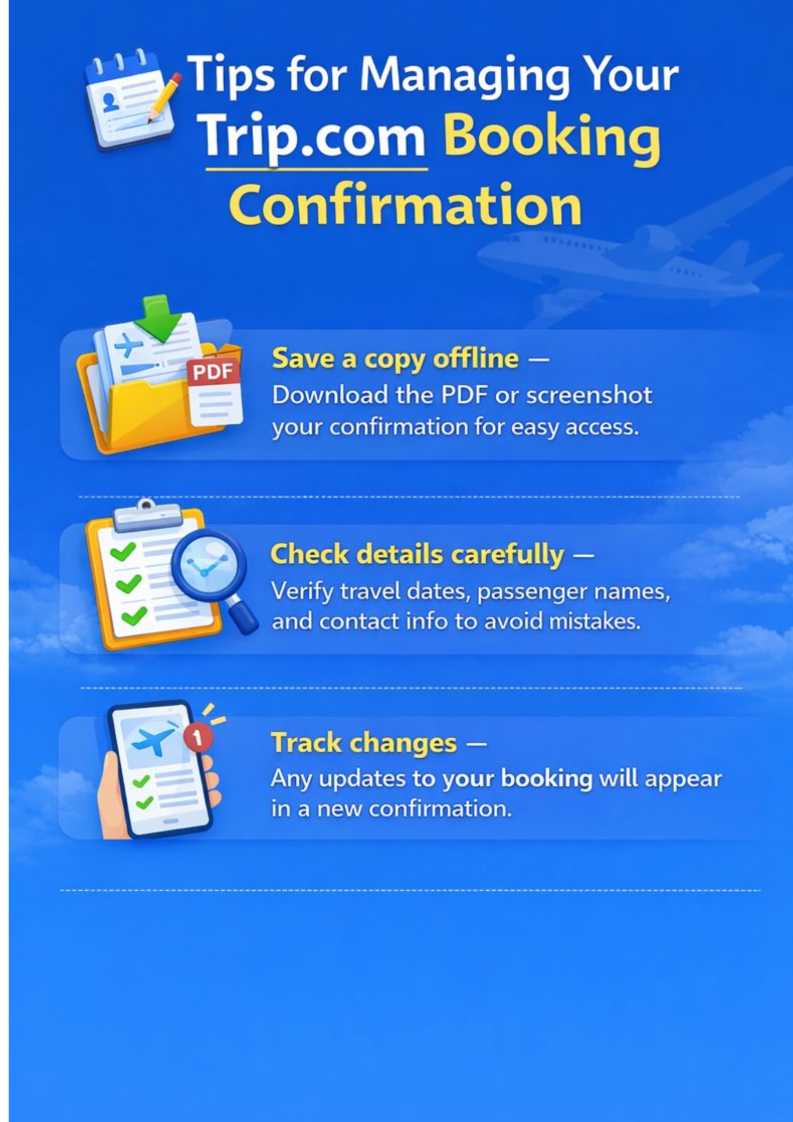
If you can’t find your confirmation after booking:
- Double-check your email address: Make sure you're logged in with the same one you used to book your trip (it's easy to accidentally use a different account!).
- Check your spam or junk folder: Sometimes, confirmation emails get a little lost and end up in there!
- Heads up on processing time: Some bookings might need a little extra time to be confirmed, so thanks for your patience!
- Resend your confirmation: Head to the "Bookings" section in the Trip.com app, select your reservation, and look for the option to resend it (if available) to have the email sent to you again.
Trip.com Booking Confirmation vs. E-Ticket vs. E-Receipt: What’s the Difference?

You’ll need the booking confirmation to check your trip details, the e-ticket (for flights/trains) to check in, and the e-receipt only if you need to provide proof of payment (like for reimbursement).
ID type | Core purpose | The Key Info Included | Best Way to Use |
|---|---|---|---|
Trip.com Booking Confirmation | Shows your reservation status | Booking number, itinerary, baggage rules, and the date and time you confirmed your reservation | Verify your trip details; manage your bookings |
Trip.com E-Ticket (Flights/Trains) | Serves as your transport booking confirmation | PNR (airline/rail reference), flight/train number, passenger name | Check in for your flights or trains |
Trip.com E-Receipt | Show proof of your reservation payment | Total cost, fee breakdown, payment method, and transaction ID | Keep tabs on your travel spending and easily submit reimbursement requests |
Disclaimer: The timelines and descriptions provided above are general guidelines. Actual issuance times, content, and formats may vary depending on your booking type, airline policies, and other factors. For the most accurate and up-to-date information, please check your Trip.com account.
Top Hotel Picks Around the World
New York
London
Shanghai
Paris
Los Angeles
Tokyo
See All Hotels

















































FAQs about Trip.com Booking Confirmation
-
How do I check my Trip.com confirmation?
-
What is a booking confirmation?
-
Is my e-ticket automatically confirmed?
-
Is a Trip.com booking confirmation the same as a receipt?
-
Can I print my Trip.com booking confirmation?
Disclaimer: This article has been provided by an individual contributor or third party platform. If there is any discrepancy regarding the copyright, please contact us directly and we will delete the content immediately.
Find Cheap Travel Deals & Explore Destinations on Trip.com
-
Trip.com links
-
eSIM/SIM card
-
Air travel guide
- Trip.com Cancellation Policy
- Trip.com Flight Change
- Trip.com E-Receipt
- Trip.com Customer Service
- Trip.com Hotel Refund
- Trip.com Membership
- Trip.com Change Passport
- Trip.com Check in
- Trip.com Reviews
- Trip.com Ticket Issued Status
- Trip.com Flight Ticket
- Trip.com Baggage Allowance
- Trip.com App
- Trip.com Booking Change
- Trip.com Contact
- Trip.com Refund
- Trip.com Call Center
- How to List your Property on Trip.com
- Trip.com Price Match
- Trip.com Pay Installments